How to Handle Shopify Webhooks During a Database Outage
How to Handle Shopify Webhooks During a Database Outage It's 2:00 AM on a Tuesday.
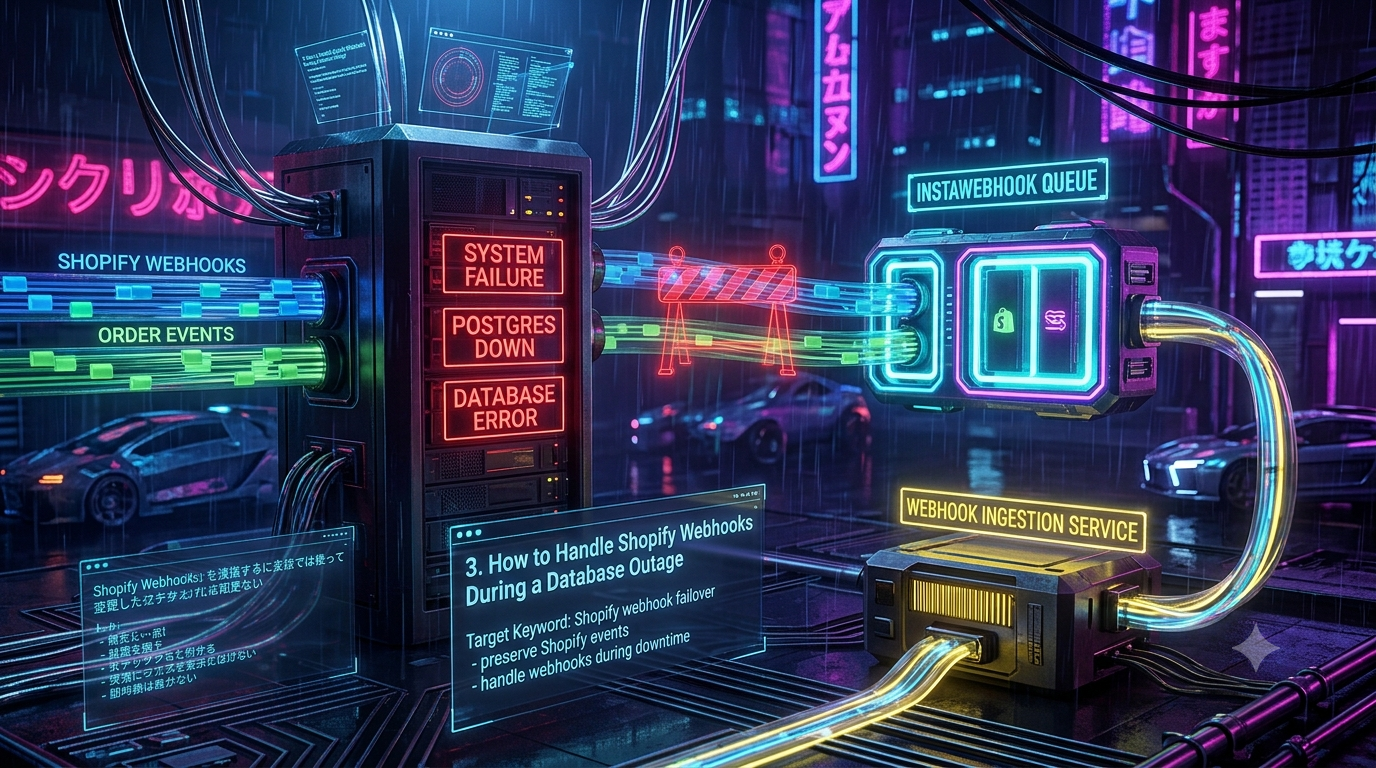
How to Handle Shopify Webhooks During a Database Outage
It's 2:00 AM on a Tuesday. Or worse, 2:00 PM on Cyber Monday. Your primary database — Postgres, MySQL, MongoDB, doesn't matter — buckles under a connection spike, a bad migration lock, or maintenance that ran long.
Your monitoring fires: Database Unreachable.
While your team scrambles, Shopify keeps sending orders/create, checkouts/update, and inventory_levels/update events to your app, HTTP POST after HTTP POST.
If your webhook handler works synchronously — verify the signature, parse the JSON, run an INSERT or UPDATE against your primary database — every one of those requests fails. They either hang until Shopify's timeout or throw a 500.
This is a blueprint for a store-and-forward ingestion layer that keeps every webhook safe during a database outage, without relying on Shopify to do the buffering for you.
1. Why Shopify's Built-In Retries Won't Save You
Shopify does retry failed deliveries automatically, and it's tempting to lean on that instead of building your own resilience. Here's what that retry system actually guarantees, straight from Shopify's current developer documentation:
- 5-second response window. Shopify allows one second to establish the connection and five seconds total for your endpoint to respond. Anything slower is treated as a failure, even if your server would have eventually returned a
200. - 8 retries over 4 hours. As of a September 2024 policy change, a failed delivery is retried up to eight times over a four-hour window using exponential backoff, then Shopify stops trying and the event is gone. (Older tutorials still describe a "19 retries over 48 hours" model — that was the previous policy, replaced in 2024. If you're reading a guide that cites 19 attempts, it's out of date.)
- Automatic subscription deletion. For subscriptions created through the Admin API, Shopify automatically deletes the subscription after repeated consecutive failures within a 24-hour window, and sends a warning email to the app's registered emergency developer address. After that, the topic stops firing entirely — nothing queues up waiting for you to fix it.
┌────────────────┐         HTTP POST          ┌──────────────────────────┐
│                │  ───────────────────────►  │ Webhook Ingest Endpoint  │
│    Shopify     │                            └────────────┬─────────────┘
│   E-Commerce   │                                         │
│  Infrastructure│  ◄───────────────────────               │ Synchronous Write
│                │   HTTP 500 / Timeout                    ▼
└────────────────┘   (Retried 8x over 4h)      ┌──────────────────────────┐
         │                                     │ Primary Relational DB    │
         ▼                                     │ (PostgreSQL / MySQL)     │
┌─────────────────────────────────┐            │     ❌ DOWN / CRASHED    │
│ WEBHOOK SUBSCRIPTION DELETED    │            └──────────────────────────┘
│ Data loss + manual re-registration required   │
└─────────────────────────────────┘
Relying on Shopify's retry queue as your buffer creates three real risks:
- Unsubscription. If your outage outlasts the retry cycle across enough events, Shopify silences the topic. Nothing fires again until an engineer manually re-creates the subscription.
- A hard 4-hour ceiling. Index rebuilds, failovers, and real incidents regularly run longer than four hours. Once the retry window closes, those events are gone from Shopify's side — permanently, unless you backfill them yourself.
- Thundering herd on recovery. When your database comes back, Shopify's queued retries land in a burst. If your app has no shock absorber, that burst can exhaust your connection pool and take the database down a second time.
2. The Core Pattern: Decouple Ingestion from Processing
The fix is to separate receiving the webhook from acting on it. This is usually called a store-and-forward or queue-proxy pattern.
                             STAGE 1: INGESTION (Stateless & Fast)
┌─────────┐   HTTP POST   ┌─────────────────────┐   enqueue     ┌───────────────────────┐
│ Shopify ├──────────────►│ Lightweight Endpoint├──────────────►│ Durable Queue Buffer  │
│ Webhook │               │ (Node/Go/Lambda)    │               │ (Redis/SQS/RabbitMQ)  │
└─────────┘               └──────────┬──────────┘               └───────────┬───────────┘
                                     │                                      │
                        Returns HTTP 200 OK (<100ms)                        │
                                                                            ▼
                                                 STAGE 2: ASYNCHRONOUS PROCESSING
                                                 ┌──────────────────────────────────────┐
                                                 │ Background Worker / Consumer         │
                                                 └──────────────────┬───────────────────┘
                                                                    │
                                                          Attempts Database Write
                                                                    │
                                                      ┌─────────────┴─────────────┐
                                                      │                           │
                                                 DB Healthy?                 DB Down?
                                                      │                           │
                                                      ▼                           ▼
                                           ┌────────────────────┐      ┌────────────────────┐
                                           │ Primary Database   │      │ Re-enqueue with    │
                                           │ (PostgreSQL/MySQL) │      │ Exponential Backoff│
                                           └────────────────────┘      └────────────────────┘
Your ingestion layer needs to satisfy four requirements:
- Zero database dependency. It must never query or write your primary database inside the request/response cycle.
- Strict verification first. Validate the
X-Shopify-Hmac-SHA256header in memory, using your app's client secret and the raw request body, before you enqueue anything. - Durable buffering. Push the verified payload into a broker that survives independently of your primary database — Redis-backed BullMQ, SQS, RabbitMQ, or a managed webhook-relay service.
- Fast acknowledgment. Respond
200or202in well under Shopify's five-second ceiling — ideally under 100ms, since Shopify also caps the initial connection at one second.
For very high-volume stores, Shopify also supports delivering webhooks through Google Cloud Pub/Sub or Amazon EventBridge instead of a plain HTTPS endpoint. That removes the "is my endpoint up" problem entirely for the delivery hop, though you still need resilient processing on the consuming side — it moves the problem, it doesn't eliminate it.
3. Designing the Failover Queue Strategy
A. Idempotency and deduplication — use the right header
Every Shopify webhook carries two different identifiers, and mixing them up is a common bug:
X-Shopify-Webhook-Id: 7e738d22-1c6f-45b3-a1df-34862e3d3fa1   ← unique per delivery
X-Shopify-Event-Id:   b3a91f00-9c2e-4a11-8e77-1a2b3c4d5e6f   ← shared across deliveries
X-Shopify-Webhook-Idis unique to a single delivery attempt for a single subscription. This is the correct key to dedupe against if the same message somehow gets processed twice.X-Shopify-Event-Idstays the same across every subscription that fired for the same underlying merchant action. If you have two subscriptions onorders/create, you'll get two deliveries with two differentWebhook-Idvalues but the sameEvent-Id— useful for correlating them, not for deduplication.
Shopify's own guidance is to design for idempotent writes first, and use X-Shopify-Webhook-Id as a backstop only where that isn't possible — for example, an atomic upsert keyed on a unique constraint:
INSERT INTO orders (webhook_id, event_id, shopify_order_id, total_price, status)
VALUES ($1, $2, $3, $4, $5)
ON CONFLICT (webhook_id) DO NOTHING;
Also check X-Shopify-Triggered-At (or a timestamp in the payload itself) when processing retried deliveries — Shopify redelivers the original payload from when the event first fired, so a very old timestamp on a delivery you're processing late is a signal to compare against current state before blindly overwriting it.
B. Exponential backoff on your own worker
This is separate from Shopify's retry schedule — it governs how your worker retries a database write after a connection failure like ECONNREFUSED or Postgres's 57P03 ("the database system is starting up"):
$$\text{Retry Delay} = \text{Base Delay} \times 2^{\text{Attempt}} + \text{Jitter}$$
| Attempt | Delay |
|---|---|
| 1 | 5s |
| 2 | 15s |
| 3 | 45s |
| 4 | 2m |
| 5 | 10m |
Add ±20% jitter so a large batch of queued jobs doesn't all retry in the same instant the moment your database comes back.
C. Dead letter queues
If a message fails because of a genuine bug — an unexpected payload shape, a null you didn't handle — infinite retries just clog the pipeline. Cap retries (10 is a reasonable default) and route exhausted jobs to a dead letter queue for manual inspection, separate from transient database-connectivity failures.
4. Production Implementation (Node.js, Express, BullMQ, Postgres)
The ingestion route never touches Postgres. It validates, enqueues, and returns — even if Postgres is completely offline.
Step 1 — the fast ingestion router (server.js)
const express = require('express');
const crypto = require('crypto');
const { Queue } = require('bullmq');

const app = express();

// Redis is the buffer — isolated from the primary database on purpose
const redisConnection = {
  host: process.env.REDIS_HOST || '127.0.0.1',
  port: process.env.REDIS_PORT || 6379,
};

const webhookQueue = new Queue('shopify-webhooks', {
  connection: redisConnection,
  defaultJobOptions: {
    attempts: 10,
    backoff: { type: 'exponential', delay: 5000 },
    removeOnComplete: 1000,
    removeOnFail: 5000,
  },
});

// Raw body is required for HMAC verification — must run before any JSON body parser
app.use('/webhooks/shopify', express.raw({ type: 'application/json' }));

app.post('/webhooks/shopify', async (req, res) => {
  const hmacHeader = req.get('X-Shopify-Hmac-Sha256');
  const topic = req.get('X-Shopify-Topic');
  const shopDomain = req.get('X-Shopify-Shop-Domain');
  const webhookId = req.get('X-Shopify-Webhook-Id'); // unique per delivery — use for dedup
  const eventId = req.get('X-Shopify-Event-Id');     // shared across subscriptions of the same action

  // 1. Verify the HMAC signature in memory, no DB involved
  const generatedHmac = crypto
    .createHmac('sha256', process.env.SHOPIFY_WEBHOOK_SECRET)
    .update(req.body)
    .digest('base64');

  const signatureValid =
    hmacHeader &&
    crypto.timingSafeEqual(
      Buffer.from(generatedHmac, 'base64'),
      Buffer.from(hmacHeader, 'base64')
    );

  if (!signatureValid) {
    console.error(`[HMAC Failed] Unauthorized payload from ${shopDomain}`);
    return res.status(401).send('HMAC verification failed');
  }

  // 2. Enqueue — this is the only "durability" step in the request path
  try {
    const rawPayload = req.body.toString('utf8');

    await webhookQueue.add(
      topic,
      {
        webhookId,
        eventId,
        topic,
        shopDomain,
        payload: JSON.parse(rawPayload),
        receivedAt: new Date().toISOString(),
      },
      { jobId: webhookId } // gives BullMQ a free layer of at-most-once enqueuing
    );

    // 3. Acknowledge fast — Shopify allows 1s to connect, 5s total
    return res.status(200).send('Webhook buffered');
  } catch (error) {
    console.error('[Ingestion Error] Queue buffering failed:', error);
    // If the buffer itself is unreachable, a 500 lets Shopify's own retry handle it
    return res.status(500).send('Internal storage buffer error');
  }
});

app.listen(3000, () => console.log('Webhook ingestion gateway running on port 3000'));
Note the jobId: webhookId line — BullMQ treats a duplicate jobId as a no-op while the original job still exists in the queue. That's a helpful first line of defense, but it's not durable once the job has been cleaned up (removeOnComplete), which is why the database-level unique constraint on webhook_id in the next step is the real backstop.
Step 2 — the decoupled background worker (worker.js)
const { Worker } = require('bullmq');
const { Pool } = require('pg');

const pgPool = new Pool({
  connectionString: process.env.DATABASE_URL,
  max: 20,
  idleTimeoutMillis: 30000,
  connectionTimeoutMillis: 2000, // fail fast if Postgres is unreachable
});

const redisConnection = {
  host: process.env.REDIS_HOST || '127.0.0.1',
  port: process.env.REDIS_PORT || 6379,
};

const worker = new Worker(
  'shopify-webhooks',
  async (job) => {
    const { webhookId, eventId, topic, shopDomain, payload } = job.data;
    console.log(`[Processing] ${topic} | webhook_id=${webhookId} | shop=${shopDomain}`);

    if (topic === 'orders/create') {
      await processOrderCreate(webhookId, eventId, shopDomain, payload);
    }
  },
  { connection: redisConnection, concurrency: 5 }
);

async function processOrderCreate(webhookId, eventId, shopDomain, order) {
  const client = await pgPool.connect();
  try {
    await client.query('BEGIN');

    await client.query(
      `INSERT INTO orders (webhook_id, event_id, shopify_order_id, shop_domain, total_price, currency, raw_data)
       VALUES ($1, $2, $3, $4, $5, $6, $7)
       ON CONFLICT (webhook_id) DO NOTHING;`,
      [webhookId, eventId, order.id, shopDomain, order.total_price, order.currency, JSON.stringify(order)]
    );

    await client.query('COMMIT');
    console.log(`[DB Success] Order ${order.id} persisted.`);
  } catch (error) {
    await client.query('ROLLBACK');
    console.error(`[DB Failure] ${error.message}`);
    throw error; // BullMQ schedules the exponential-backoff retry on throw
  } finally {
    client.release();
  }
}

worker.on('failed', (job, err) => {
  console.warn(`[Backoff] webhook_id=${job.data.webhookId} attempt ${job.attemptsMade}: ${err.message}`);
  if (job.attemptsMade >= job.opts.attempts) {
    console.error(`[DLQ] webhook_id=${job.data.webhookId} exhausted retries. Route to DLQ.`);
  }
});
Corresponding schema:
CREATE TABLE orders (
  id                BIGSERIAL PRIMARY KEY,
  webhook_id        UUID NOT NULL UNIQUE,   -- from X-Shopify-Webhook-Id
  event_id          UUID NOT NULL,          -- from X-Shopify-Event-Id (correlation, not dedup)
  shopify_order_id  BIGINT NOT NULL,
  shop_domain       TEXT NOT NULL,
  total_price       NUMERIC(12,2),
  currency          TEXT,
  raw_data          JSONB,
  received_at       TIMESTAMPTZ NOT NULL DEFAULT now()
);
5. Naive vs. Resilient Ingestion
| Metric | Direct DB Ingestion (naive) | Queue Ingestion Proxy (resilient) |
|---|---|---|
| Response time to Shopify | 300ms–5,000ms (bound to DB latency) | 15–100ms (memory/queue write) |
| Behavior during a DB crash | 500s or timeouts | Continuous 200 OK |
| Risk of Shopify removing the subscription | High once failures accumulate over 24h | Effectively zero — ingestion never touches the DB |
| Risk of permanent data loss | High past the 4-hour retry window | None — buffered independently |
| Thundering herd on recovery | Unmanaged, hits DB all at once | Controlled by worker concurrency |
| Replay / audit trail | Difficult or impossible | Native, via queue/job history |
6. The Outage Playbook
                  ┌───────────────────────────────────────────────┐
                  │          DATABASE OUTAGE DETECTED              │
                  └───────────────────────┬───────────────────────┘
                                          │
                                          ▼
                  ┌───────────────────────────────────────────────┐
                  │ 1. Confirm the ingestion endpoint is still     │
                  │    returning 200 OK to Shopify.                │
                  └───────────────────────┬───────────────────────┘
                                          │
                                          ▼
                  ┌───────────────────────────────────────────────┐
                  │ 2. Pause worker consumers so nothing keeps     │
                  │    hammering the down database.                │
                  └───────────────────────┬───────────────────────┘
                                          │
                                          ▼
                  ┌───────────────────────────────────────────────┐
                  │ 3. Recover the primary database and verify     │
                  │    connection pool / disk / query health.      │
                  └───────────────────────┬───────────────────────┘
                                          │
                                          ▼
                  ┌───────────────────────────────────────────────┐
                  │ 4. Resume workers at low concurrency, scale    │
                  │    up gradually while watching pool usage.     │
                  └───────────────────────┬───────────────────────┘
                                          │
                                          ▼
                  ┌───────────────────────────────────────────────┐
                  │ 5. Reconcile via the Admin GraphQL API for     │
                  │    any events that never made it into the      │
                  │    buffer at all.                              │
                  └───────────────────────────────────────────────┘
Step 4 matters more than it looks: if your queue accumulated 50,000 events during a two-hour outage, bringing 100 workers online at once will crash the connection pool a second time. Start small (concurrency: 5), watch CPU and pool saturation, and scale up.
7. Backfilling Missed Events via the GraphQL Admin API
Your queue protects you from known failures. If something upstream dropped events before they ever reached your buffer — a bug, a misconfigured secret, a gap in coverage — reconcile against Shopify directly rather than guessing.
query RecoverMissedOrders($cursor: String) {
  orders(
    first: 100
    after: $cursor
    query: "created_at:>='2026-08-09T02:00:00Z' AND created_at:<='2026-08-09T05:00:00Z'"
    sortKey: CREATED_AT
  ) {
    pageInfo {
      hasNextPage
      endCursor
    }
    edges {
      node {
        id
        name
        createdAt
        updatedAt
        totalPriceSet {
          shopMoney {
            amount
            currencyCode
          }
        }
        displayFulfillmentStatus
        displayFinancialStatus
      }
    }
  }
}
Practical notes:
- Query against the current stable API version (2026-07 at the time of writing — Shopify ships a new stable version every quarter, so pin a version explicitly rather than letting requests fall back to the oldest supported one).
- Use the
aftercursor to page through results rather than assuming everything fits in onefirst: 100call. - Widen the window by 10–15 minutes on both ends to catch boundary events.
- For large reconciliation jobs (a long outage on a high-volume store), Shopify's Bulk Operations API is a better fit than paginated queries — it runs asynchronously and avoids rate-limit pressure entirely.
- Feed recovered orders through the same idempotent upsert path you already built. Because it's keyed on a unique constraint, already-processed orders are silently skipped and only genuine gaps get inserted.
8. A Note on Outdated Numbers Floating Around the Web
Shopify changed its webhook retry mechanism on September 10, 2024. Before that, the policy was roughly 19 retries spread over 48 hours. A meaningful amount of still-circulating documentation and blog content — some of it recent — repeats the old numbers. The current, documented behavior is:
- 8 retries over a 4-hour window, exponential backoff
- 1-second connection timeout, 5-second total response timeout
- Subscriptions created via the Admin API are auto-deleted after repeated consecutive failures within a 24-hour period, with a warning email sent first
If you're auditing an existing integration against a guide that mentions "19 attempts" or "48 hours," treat that guide as describing the pre-2024 behavior.
9. Resilience Checklist
- Ingestion endpoint never queries or writes the primary database synchronously
- Responds
200/202well inside Shopify's 5-second window - Validates
X-Shopify-Hmac-SHA256against the raw body before enqueuing - Buffers into a durable, independently-available queue
- Deduplicates on
X-Shopify-Webhook-Id(per-delivery), notX-Shopify-Event-Id(per-action) - Worker retries transient DB failures with exponential backoff + jitter
- Exhausted jobs route to a dead letter queue instead of retrying forever
- Reconciliation script (GraphQL or Bulk Operations) ready to backfill any real gap
- Runbook for pausing/resuming workers during a known outage, so recovery doesn't create a second outage
Building this once means a 2 AM database incident costs you a page and a recovery checklist — not a support ticket queue full of missing orders.
Sources