Server-Sent Events vs. Webhooks: Bridging the Backend to the Browser
Server-Sent Events vs. Webhooks: Bridging the Backend to the Browser Modern web apps are expected to update themselves.
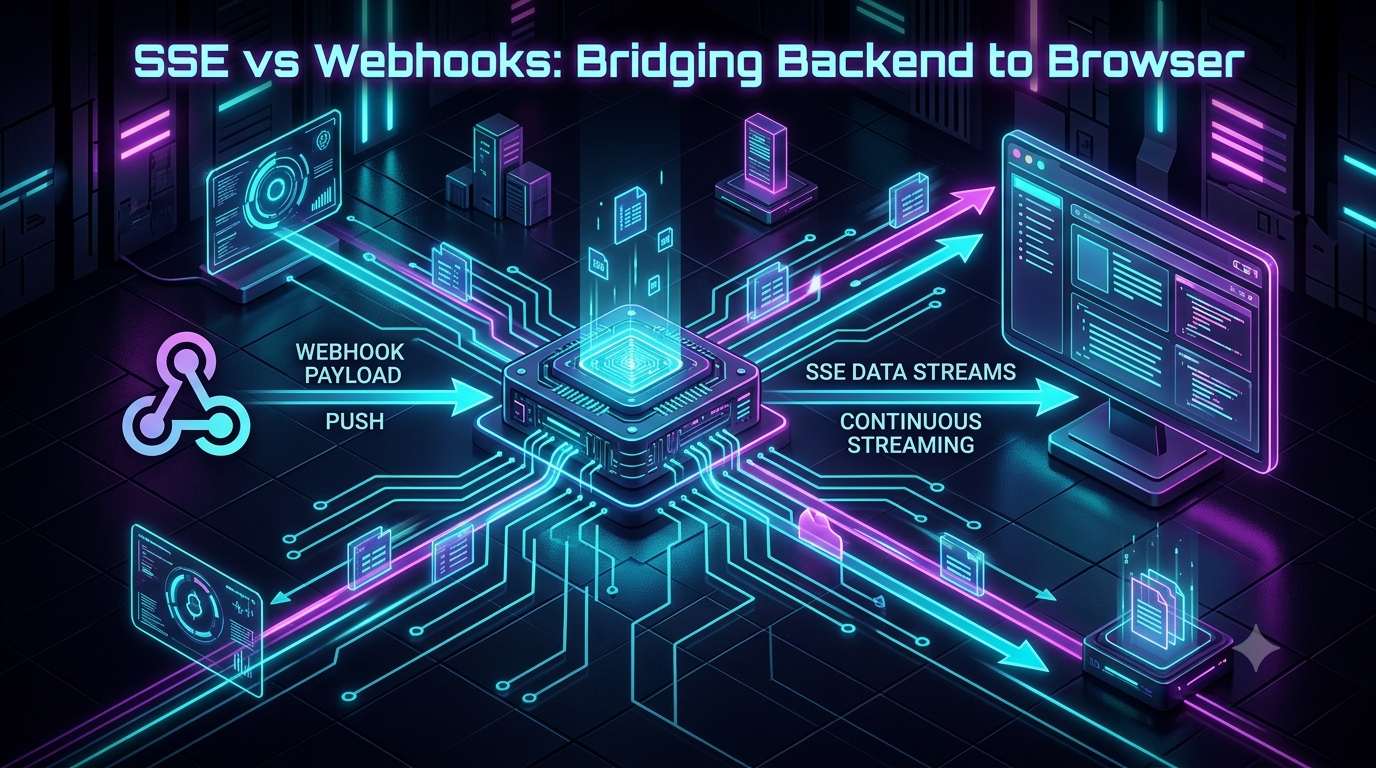
Server-Sent Events vs. Webhooks: Bridging the Backend to the Browser
Modern web apps are expected to update themselves. Live dashboards, notification badges, payment confirmations, and streaming progress bars all need to change the instant something happens — no refresh button required.
Developers often treat Webhooks and Server-Sent Events (SSE) as if they're competing solutions to this problem. They aren't. They solve two different halves of it:
- Webhooks move an event from an external provider into your backend.
- SSE moves that event from your backend out to the browser.
This article breaks down how each one works, where each one struggles, how to combine them into a single real-time pipeline, and — since this space has moved fast — what's actually changed in 2026: SSE has quietly become the default transport for AI streaming, and a genuine WebSocket alternative (WebTransport) just became usable in production for the first time.
The Real-Time Delivery Problem
Picture a typical flow:
[ External Service ]  --->  [ Your Backend Server ]  --->  [ User's Browser UI ]
   (e.g., Stripe)               (e.g., Node.js API)          (React / Vanilla JS)
                    \                               /
                     \--->   WEBHOOK JUMP          /--->  SSE JUMP
- A user pays an invoice on a Stripe-powered checkout page.
- Stripe needs to tell your backend the payment succeeded.
- Your backend needs to instantly flip the browser's UI from "Processing…" to "Payment Successful!"
Two boundaries, two different constraints:
- Can Stripe send a webhook directly to the browser? No. Browsers sit behind NATs and dynamic IPs; they don't expose a public endpoint a third party can POST to.
- Can the browser open an SSE connection directly to Stripe? No. That would mean shipping your API credentials to client-side code and skipping your own auth and business logic entirely.
So you need both: a webhook to get the event in, and an SSE stream to push it back out.
Deep Dive: Webhooks (Provider → Backend)
A webhook is an event-driven HTTP POST sent from a provider to your server when something happens on their end.
+-------------------+                           +-------------------+
|  Event Provider    | --- HTTP POST /webhook -->|   Your Backend     |
|  (Stripe / GitHub) | <------ 200 OK ---------- |   (Webhook Receiver)|
+-------------------+                           +-------------------+
Key characteristics
- Server-to-server. Both ends are HTTP servers reachable on public networks.
- Stateless and discrete. Every event is its own isolated POST; nothing stays open between them.
- Push, not poll. The provider notifies you the moment something changes instead of you hitting their REST API on a timer.
Where webhooks struggle in production
- Downtime windows. If your endpoint is redeploying or overloaded when the POST arrives, that delivery fails.
- No browser support. A browser can't act as a webhook receiver — this is exactly the gap SSE fills.
- Retry logic is the provider's problem, then yours. If delivery fails, the provider has to decide how long to keep retrying, and you have to handle duplicate or out-of-order deliveries.
Stripe is a useful concrete example here: in live mode it retries a failed webhook delivery immediately, then again after roughly 5 minutes, 30 minutes, 2 hours, 5 hours and 10 hours, then every 12 hours after that, for up to three days total, before disabling the endpoint and notifying you. GitHub, similarly, will redeliver a failed webhook and lets you manually replay recent deliveries from its UI. The pattern is the same everywhere: you own the reliability problem the moment the provider gives up retrying.
This is why a category of "webhook gateway" services has grown up around this exact pain point — Svix, Hookdeck, Hooklistener, Convoy, and InstaWebhook are current examples. They sit in front of your application, verify signatures, absorb retries and spikes, queue events, and give you a dashboard of what was delivered and what failed, so you're not building that infrastructure yourself. If you're prototyping, plain Express is fine; if you're running this in production against real payment or deployment events, a gateway like this is usually a better use of engineering time than a hand-rolled retry queue.
Deep Dive: Server-Sent Events (Backend → Browser)
SSE was introduced during the original HTML5 effort and now lives in the WHATWG HTML Living Standard — the specification browsers actually implement today. It lets a server hold open a single HTTP connection and stream text events to a client asynchronously.
+-------------------+                                   +-------------------+
|   Your Backend     | === Persistent HTTP Connection ==>|   User Browser      |
|   (SSE Server)     | -- event: update\ndata: {...} --->|   EventSource API   |
+-------------------+                                   +-------------------+
How it works
- Handshake. The browser opens a normal HTTP GET request via the native
EventSourceAPI. - Streaming headers. The server responds with headers that signal the body will never close:
HTTP/1.1 200 OK
Content-Type: text/event-stream
Cache-Control: no-cache
Connection: keep-alive
- Event format. The server writes UTF-8 plain text in the SSE wire format, with a blank line ending each message:
event: order_status
id: 1001
retry: 5000
data: {"orderId": "8492", "status": "SHIPPED"}
Why SSE usually beats WebSockets for one-way pushes
WebSockets are the reflex reach for "real-time," but they bring real overhead: a separate ws:// protocol, no built-in reconnection, and connection state that gets awkward across load balancers. For a one-way, server-to-client feed, SSE is simpler on every axis:
- Automatic reconnection. If the connection drops,
EventSourcereconnects on its own. - Built-in resume via
Last-Event-ID. On reconnect, the browser sends back the ID of the last event it saw, so your server can replay anything missed. - Plain HTTP. SSE rides on normal HTTP/HTTPS, so it works out of the box with cookies, CORS, reverse proxies, and standard TLS — no protocol upgrade needed.
- No per-domain connection ceiling under HTTP/2+. Under HTTP/1.1, browsers typically cap open connections at around six per domain, which used to bite apps with several open SSE streams. Under HTTP/2 or HTTP/3, streams are multiplexed over a single connection, so that ceiling effectively disappears.
A limitation worth knowing about: native EventSource can't send custom headers
This is the one gap the original spec never closed. EventSource only issues GET requests and gives you no way to attach an Authorization: Bearer … header or a custom API key header — you can set withCredentials for cookies, and that's about it. Putting a token in the URL as a query parameter is a common workaround, but it leaks into server logs, browser history, and Referer headers, so it's a real anti-pattern for anything sensitive.
The common fix in production code today is to skip EventSource and parse the SSE stream yourself off fetch() and the Web Streams API, where you have full control over request headers:
const response = await fetch('/api/stream', {
  headers: { Authorization: `Bearer ${token}` }
});
const reader = response.body.getReader();
const decoder = new TextDecoder();

while (true) {
  const { done, value } = await reader.read();
  if (done) break;
  const chunk = decoder.decode(value, { stream: true });
  // parse "event:" / "data:" lines out of chunk here
}
This is exactly the pattern most AI chat interfaces use, which brings us to the biggest shift in this space since SSE was first specified.
What's Changed Recently: SSE and the AI Streaming Boom
If you've used any LLM chat product, you've already used SSE without knowing it. When you call the Anthropic Messages API, the OpenAI Chat Completions API, or Google's Gemini API with streaming turned on, the response comes back as a text/event-stream — each data: line carrying the next slice of generated text, rendered as it arrives instead of after the whole answer is ready. Streaming doesn't make the model faster; it just gets partial text on screen immediately, which is most of what "feels fast" actually means to a user.
This has effectively made SSE the default transport for AI product UIs, and it's why the "fetch + ReadableStream" pattern above matters so much right now: an authenticated, POST-based streaming call to an LLM API is precisely the case native EventSource can't handle.
What's Changed Recently: WebTransport Reached Baseline
For years, the honest answer to "what if I need bidirectional, low-latency streaming — gaming, live cursors, telemetry — not just server push?" was WebSockets, with all their TCP head-of-line-blocking baggage, or the much heavier WebRTC data channel stack.
That changed in March 2026. WebTransport — a browser API built on HTTP/3 and QUIC that supports both reliable streams and unreliable, UDP-style datagrams — reached Baseline "Newly available" status when Safari 26.4 shipped support, joining Chrome, Edge, and Firefox, which had supported it for a few years already. That's the web platform's way of saying it now works, without flags, in every major browser engine — a real inflection point for anything that previously had to avoid it because of Safari and iOS.
Where does that leave SSE? Firmly in place for the use case it was built for. WebTransport is genuinely useful for bidirectional or loss-tolerant traffic — multiplayer state, live video, telemetry where a dropped frame beats a stall. But it needs HTTP/3, its browser API is still newer and less battle-tested, and the spec itself is still a W3C Working Draft, so it can still change. For plain, one-way "tell the browser what just happened," SSE remains the simpler, more broadly deployable tool — it's why Cloudflare Workers and Vercel Edge Functions both support returning a streaming text/event-stream response with essentially no extra setup.
SSE vs. Webhooks: Technical Comparison
| Feature | Webhooks | Server-Sent Events (SSE) |
|---|---|---|
| Primary purpose | Ingest external events into your backend | Stream updates to a connected client |
| Directionality | Server-to-server, one request per event | Server-to-client, one persistent stream |
| Transport | HTTP POST | Long-lived HTTP GET (text/event-stream) |
| Connection lifecycle | Opens, posts, closes | Stays open |
| Target consumer | A public backend endpoint | Browsers, mobile WebViews, frontend UIs |
| Reconnection | Provider retries on 5xx/timeout, on its own schedule | Native EventSource auto-reconnect + Last-Event-ID |
| Auth | HMAC signatures, shared secrets | Cookies, bearer tokens (via fetch, not native EventSource) |
| Proxy considerations | Standard REST handling | Must disable response buffering (e.g. X-Accel-Buffering: no) |
The End-to-End Architecture
Put together, webhooks and SSE form one pipeline:
1. External Event Occurs (payment processed, deploy finished, AI job done)
                    │
                    ▼  HTTP POST (webhook payload)
2. Webhook Ingestion Layer
   - Verifies signature, authenticates the request
   - Logs/buffers the payload, retries on your backend's behalf if needed
                    │
                    ▼  Verified, guaranteed dispatch
3. Your Application Backend (Express / Node.js, etc.)
   - Ingests the payload, updates the database
   - Publishes the event to an internal SSE stream manager
                    │
                    ▼  text/event-stream
4. Client Web App (Browser)
   - Connected via EventSource('/api/events') or fetch + ReadableStream
   - Renders the update instantly, no polling
This gets you three things: third parties never touch your frontend directly, retries and spikes are absorbed before they hit your app logic, and the browser only needs native primitives — no bundled WebSocket client library.
Hands-On Tutorial: Building a Webhook-to-SSE Bridge
Prerequisites: Node.js 18+, basic Express familiarity.
Step 1: Set up the project
mkdir webhook-sse-bridge
cd webhook-sse-bridge
npm init -y
npm install express
Step 2: The backend (ingestion + SSE broadcast)
Create server.js with two endpoints: one that receives webhooks, one that streams updates to browsers.
// server.js
const express = require('express');
const path = require('path');

const app = express();
const PORT = process.env.PORT || 3000;

app.use(express.json());
app.use(express.static(path.join(__dirname, 'public')));

// Active SSE client connections
const sseClients = new Set();

// --- 1. SSE endpoint: persistent backend-to-browser stream ---
app.get('/api/events', (req, res) => {
  res.writeHead(200, {
    'Content-Type': 'text/event-stream',
    'Cache-Control': 'no-cache',
    'Connection': 'keep-alive',
    'X-Accel-Buffering': 'no' // disable proxy buffering (e.g. NGINX)
  });

  res.write(`event: connected\ndata: ${JSON.stringify({ message: 'SSE connection established' })}\n\n`);

  sseClients.add(res);
  console.log(`[SSE] Client connected. Total: ${sseClients.size}`);

  req.on('close', () => {
    sseClients.delete(res);
    console.log(`[SSE] Client disconnected. Total: ${sseClients.size}`);
  });
});

function broadcastToClients(eventType, data) {
  const message = `event: ${eventType}\ndata: ${JSON.stringify(data)}\n\n`;
  sseClients.forEach((client) => client.write(message));
}

// --- 2. Webhook ingestion endpoint ---
app.post('/api/webhooks', (req, res) => {
  const webhookData = req.body;
  console.log('[Webhook Received]:', JSON.stringify(webhookData, null, 2));

  const eventType = webhookData.event || 'payment_updated';
  const payload = webhookData.payload || webhookData;

  // ...persist to your database here...

  broadcastToClients(eventType, {
    timestamp: new Date().toISOString(),
    details: payload
  });

  res.status(200).json({ status: 'success', message: 'Webhook ingested and broadcasted' });
});

app.listen(PORT, () => {
  console.log(`Server running on http://localhost:${PORT}`);
});
Step 3: The frontend (browser client)
Create public/index.html. It uses the native EventSource API to render events as they arrive.
<!DOCTYPE html>
<html lang="en">
<head>
  <meta charset="UTF-8">
  <title>Live Webhook-to-SSE Dashboard</title>
  <style>
    body { font-family: system-ui, sans-serif; background: #0f172a; color: #f8fafc; padding: 2rem; }
    .status-card { padding: 1rem 1.5rem; border-radius: 8px; background: #1e293b; margin-bottom: 2rem; display: flex; justify-content: space-between; }
    .event-card { background: #1e293b; border-left: 4px solid #38bdf8; padding: 1rem; border-radius: 4px; margin-bottom: 1rem; }
    pre { background: #090d16; padding: 0.75rem; border-radius: 4px; overflow-x: auto; color: #38bdf8; }
  </style>
</head>
<body>
  <h1>Live Application Dashboard</h1>
  <div class="status-card">
    <span>Status: <strong id="state">Connecting…</strong></span>
  </div>
  <div id="feed"></div>

  <script>
    const stateEl = document.getElementById('state');
    const feedEl = document.getElementById('feed');
    const source = new EventSource('/api/events');

    source.onopen = () => { stateEl.textContent = 'Connected'; };
    source.onerror = () => { stateEl.textContent = 'Reconnecting…'; };

    source.addEventListener('order_completed', (e) => renderEvent('order_completed', JSON.parse(e.data)));
    source.addEventListener('payment_updated', (e) => renderEvent('payment_updated', JSON.parse(e.data)));

    function renderEvent(type, data) {
      const card = document.createElement('div');
      card.className = 'event-card';
      card.innerHTML = `<strong>${type}</strong> — ${new Date(data.timestamp).toLocaleTimeString()}
        <pre>${JSON.stringify(data.details, null, 2)}</pre>`;
      feedEl.prepend(card);
    }
  </script>
</body>
</html>
Step 4: Test it end to end
Start the server:
node server.js
Open http://localhost:3000 — the status should flip to "Connected". Then, in a second terminal, simulate an incoming webhook:
curl -X POST http://localhost:3000/api/webhooks \
  -H "Content-Type: application/json" \
  -d '{
    "event": "order_completed",
    "payload": {
      "orderId": "ORD-9921",
      "customer": "Alex Mercer",
      "amount": 149.99,
      "status": "PAID"
    }
  }'
The moment that request lands, the browser tab updates — no refresh, no polling.
Scaling This to Production
1. Broadcast across multiple backend instances with Redis Pub/Sub. SSE connections are pinned to whichever server node the browser connected to. If a webhook lands on Server A but the relevant browser is streaming from Server B, Server A needs to publish the event to a shared broker (Redis Pub/Sub is the common choice) so every node can forward it to its own connected clients.
2. Turn off reverse proxy buffering. NGINX, HAProxy, and similar proxies buffer response chunks by default, which delays streaming until the buffer fills. Set proxy_buffering off; in NGINX config, or send the X-Accel-Buffering: no header from your app; for Cloudflare, make sure buffering is disabled on streaming routes.
3. Send heartbeats. Idle connections can get killed by firewalls or load balancers on a timeout. A periodic SSE comment line keeps the connection alive without triggering any client-side event handler:
setInterval(() => {
  sseClients.forEach((client) => client.write(': ping\n\n'));
}, 20000);
4. Use id + Last-Event-ID to catch clients up after a drop. Tag every event with a unique id. On reconnect, the browser automatically sends back Last-Event-ID in the request headers; read req.headers['last-event-id'] on your server, pull anything the client missed from a cache or database, and replay it before resuming the live stream.
Conclusion
SSE vs. webhooks was never really a choice between two competitors — they're two halves of the same pipeline. Webhooks get an external event safely into your backend; SSE gets your backend's reaction back out to a browser, using nothing more exotic than plain HTTP and a native browser API.
What's shifted since this pattern became popular isn't the pattern itself — it's the volume of traffic running through it. SSE is now the default way LLM APIs stream tokens to chat interfaces, which has pushed most production frontends toward fetch-based SSE parsing instead of bare EventSource, precisely to get auth headers working. And with WebTransport now at Baseline across all major browsers, there's finally a real option for the bidirectional, loss-tolerant cases SSE was never meant to cover — while leaving SSE exactly where it's always been the right tool: simple, one-way, server-to-browser push.