Salesforce Outbound Messages vs. Modern Webhooks: An Integration Guide
Salesforce Outbound Messages vs. Modern Webhooks: An Integration Guide When engineering modern enterprise applications, microservices typically communicate using RESTful JSON...
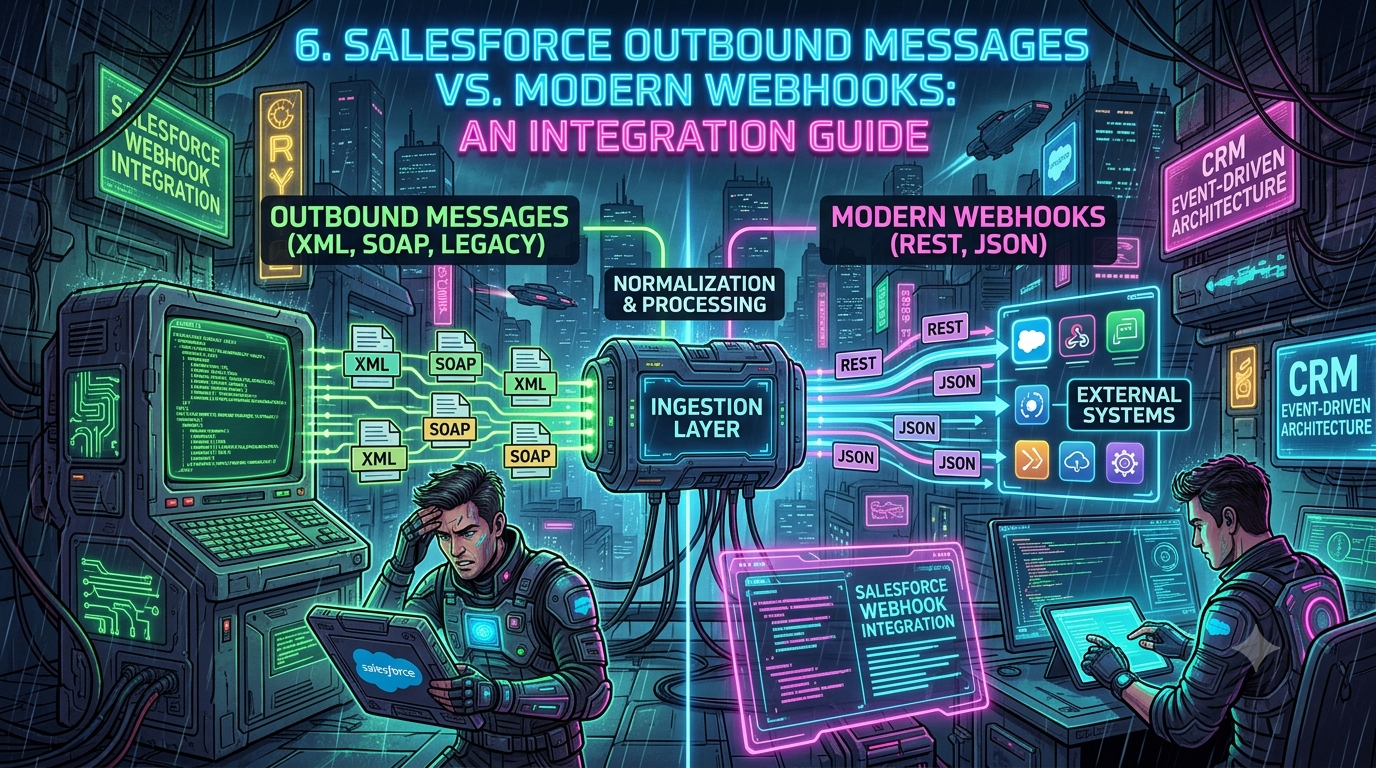
Salesforce Outbound Messages vs. Modern Webhooks: An Integration Guide
When engineering modern enterprise applications, microservices typically communicate using RESTful JSON webhooks, server-sent events, or lightweight messaging queues. Connecting those microservices to Salesforce — the system of record for customer data across thousands of enterprises — is where engineers usually hit a wall of architectural history.
Salesforce's integration surface spans more than two decades of design decisions. Alongside the legacy, XML-based Outbound Messages mechanism, the platform now offers native REST callouts, Change Data Capture (CDC), Platform Events, a GraphQL API (with mutations now generally available), and the gRPC-based Pub/Sub API. As of Spring '26, the current Salesforce API version is v66.0, and Salesforce releases three versions a year (Spring, Summer, Winter), each version guaranteed a minimum three-year support window before retirement.
This guide compares legacy Outbound Messages with modern Salesforce webhook and event-driven patterns, explains how data actually flows through each, and makes the case for a dedicated ingestion layer between Salesforce and your production services.
1. Understanding Salesforce Outbound Messages (The Legacy Workhorse)
Outbound Messages are a point-and-click, declarative feature that sends near-real-time notifications to external systems whenever a record changes. Unlike a modern webhook, which is a simple HTTP POST with a JSON body, an Outbound Message is a SOAP XML payload.
                           +------------------------+
                           |   Salesforce Engine    |
                           |   (Flow Trigger)       |
                           +-----------+------------+
                                       |
                                       | Asynchronous SOAP/XML
                                       v
                           +------------------------+
                           | External Web Service   |
                           | (SOAP Listener)        |
                           +-----------+------------+
                                       |
                                       | <Ack>true</Ack>
                                       v
                           +------------------------+
                           |  Salesforce Event Queue|
                           +------------------------+
How Outbound Messages Work
- Trigger condition — A declarative rule fires on record creation or update (e.g., an Opportunity moves to Closed Won). Historically this lived in Workflow Rules; today it lives in Record-Triggered Flows.
- Queueing & delivery — Salesforce enqueues an asynchronous SOAP request containing the configured fields, an Organization ID, and (optionally) a session ID.
- Endpoint processing — The external endpoint must respond within the timeout window with a specific SOAP acknowledgment,
<Ack>true</Ack>. - Retry mechanism — If the endpoint errors, times out, or omits the acknowledgment, Salesforce re-queues the message and retries with increasing intervals for up to 24 hours, then drops it.
The Outbound Message XML Payload
<?xml version="1.0" encoding="UTF-8"?>
<soapenv:Envelope xmlns:soapenv="http://schemas.xmlsoap.org/soap/envelope/" xmlns:out="http://soap.sforce.com/2005/09/outbound">
  <soapenv:Header/>
  <soapenv:Body>
    <out:notifications>
      <out:OrganizationId>00D500000001234EUA</out:OrganizationId>
      <out:ActionId>04k500000004C10AAU</out:ActionId>
      <out:SessionId>00D500000001234!AR8AQP...</out:SessionId>
      <out:EnterpriseUrl>https://yourInstance.salesforce.com/services/Soap/c/58.0/00D500000001234</out:EnterpriseUrl>
      <out:Notification>
        <out:Id>04l500000008D11AAM</out:Id>
        <out:sObject xsi:type="sf:Opportunity" xmlns:sf="urn:sobject.enterprise.soap.sforce.com" xmlns:xsi="http://www.w3.org/2001/XMLSchema-instance">
          <sf:Id>006500000023456AAA</sf:Id>
          <sf:Name>Acme Enterprise Renewal</sf:Name>
          <sf:Amount>150000.00</sf:Amount>
          <sf:StageName>Closed Won</sf:StageName>
        </out:sObject>
      </out:Notification>
    </out:notifications>
  </soapenv:Body>
</soapenv:Envelope>
The receiving application must reply with a valid SOAP envelope, or Salesforce treats the delivery as failed:
<soapenv:Envelope xmlns:soapenv="http://schemas.xmlsoap.org/soap/envelope/">
  <soapenv:Body>
    <notificationsResponse xmlns="http://soap.sforce.com/2005/09/outbound">
      <Ack>true</Ack>
    </notificationsResponse>
  </soapenv:Body>
</soapenv:Envelope>
Key Advantages
- Declarative setup — No Apex required; configured from Setup or from a Flow.
- Built-in resilience — Automatic retries for up to 24 hours cover transient downstream outages.
- Session ID included — Downstream systems can optionally receive a session token to call back into the Salesforce API for more data (though Salesforce recommends against relying on this for security reasons — see Section 6).
- A single message can batch up to 100 record notifications, reducing per-record chatter.
Core Drawbacks for Modern Applications
- SOAP/XML overhead — Heavy payloads, verbose parsing, rigid envelope structure.
- Limited payload control — You cannot customize the JSON structure, add custom HTTP headers, or attach bearer tokens; the format is fixed.
- Strict acknowledgment contract — A
200 OKresponse without the exact<Ack>true</Ack>body is treated as a failure, triggering retry storms against your endpoint. - One-way push — Outbound Messages cannot act synchronously or feed a response payload back into the triggering transaction.
Important correction to a common misconception: Outbound Messages are not deprecated. Workflow Rules and Process Builder lost official Salesforce support after December 31, 2025, as part of the platform's consolidation onto Flow Builder — but Outbound Messages themselves were explicitly excluded from that deprecation. You can still create and use them today, and Flow Builder can invoke them directly as an action. That said, Salesforce and most Salesforce architects now steer new integration work toward Platform Events or REST-based patterns; Outbound Messages remain best suited to simple, low-volume, already-existing integrations rather than new builds.
2. The Modern Webhook Landscape in Salesforce
As engineering teams shifted toward API-first architectures, demand grew for native REST/JSON delivery out of Salesforce. Today that comes down to two broad patterns: direct HTTP callouts (Flow/Apex) and event-driven streaming (CDC and Pub/Sub API).
Pattern A: Apex & Flow HTTP Callouts (Direct Push Webhooks)
Using Salesforce Flow's HTTP Callout action, or custom Apex (HttpRequest), developers can send JSON POST requests directly to an external webhook.
public class WebhookPublisher {
    @future(callout=true)
    public static void sendOpportunityWebhook(Set<Id> oppIds) {
        List<Opportunity> opps = [SELECT Id, Name, Amount, StageName FROM Opportunity WHERE Id IN :oppIds];

        HttpRequest req = new HttpRequest();
        req.setEndpoint('https://api.yourcompany.com/v1/webhooks/salesforce');
        req.setMethod('POST');
        req.setHeader('Content-Type', 'application/json');
        req.setHeader('X-Webhook-Signature', calculateHMAC(JSON.serialize(opps)));
        req.setBody(JSON.serialize(opps));

        Http http = new Http();
        HttpResponse res = http.send(req);

        if (res.getStatusCode() != 200 && res.getStatusCode() != 202) {
            // Log error or queue retry in a custom object
            System.debug('Webhook delivery failed: ' + res.getBody());
        }
    }
}
Trade-offs:
- Pros — Standard JSON, full control over payload shape, headers, and authentication (OAuth 2.0, API keys, HMAC signatures).
- Cons — Bound by Apex governor limits: a maximum of 100 callouts per transaction, a per-callout timeout you can set between 1 ms and 120,000 ms (120 seconds), and a combined cumulative callout time budget per transaction. A slow or offline external API can stall a transaction or blow through those limits.
Pattern B: Event-Driven Architecture (Pub/Sub API & CDC)
Rather than Salesforce pushing HTTP requests outbound, Salesforce publishes record changes to an internal Event Bus, and external consumers subscribe using the Pub/Sub API. The Event Bus behaves like a time-ordered, distributed log (conceptually similar to Kafka); subscribers pull events using gRPC and track position with Replay IDs.
+-------------------------------------------------------------------------+
|                         SALESFORCE EVENT BUS                            |
|                                                                          |
|  [Change Data Capture / Platform Events] --> [Event Bus Retention Log]  |
+------------------------------------+------------------------------------+
                                      |
                                      | gRPC / Apache Avro Stream
                                      v
+-------------------------------------------------------------------------+
|                          PUB/SUB API CLIENT                              |
|       (Subscribes to Event Streams via Replay ID / Checkpoint)          |
+------------------------------------+------------------------------------+
                                      |
                                      | Normalized JSON / REST Webhook
                                      v
+-------------------------------------------------------------------------+
|                       DOWNSTREAM MICROSERVICES                          |
+-------------------------------------------------------------------------+
Key event-driven technologies:
- Change Data Capture (CDC) — Automatically streams change events (create, update, delete, undelete) for selected standard and custom objects. Without an add-on license, CDC is limited to five selected entities; events are retained on the bus for 72 hours.
- Platform Events — Custom event definitions (
Event_Name__e) published via Apex, Flow, or external APIs to signal business occurrences (e.g.,Order_Processed__e). Since Spring '23, every newly created custom platform event defaults to high-volume; the older standard-volume event type can no longer be created, and high-volume events also carry the 72-hour retention window. - Pub/Sub API — A gRPC-based, bidirectional streaming API using Apache Avro binary serialization, generally available since Spring '22. It's now Salesforce's recommended interface for new event-driven integrations, offering better throughput, flow control, and multi-language client support (Java, Python, Node.js, Go) than the legacy approach below.
- Streaming API (CometD/Bayeux) — The original long-polling, JSON-based push mechanism. It's still supported for existing subscribers, but Salesforce is not investing further engineering here — new integrations should use Pub/Sub API instead.
- Event Relay — Routes Platform Event or CDC streams directly into external event buses (for example, AWS EventBridge) without custom subscriber code, for teams that want to stay entirely within their own cloud's event tooling.
- GraphQL API — Not a webhook mechanism, but worth knowing about for the same architectural conversation: Salesforce's GraphQL API lets a client fetch or, as of API v66.0 (mutation support moved from beta to general availability), write exactly the fields it needs in a single round trip, reducing the number of REST calls an integration needs to make when it does need to call back into Salesforce synchronously.
3. Comprehensive Feature Comparison
| Feature / Dimension | Salesforce Outbound Messages | Direct Webhooks (Apex/Flow) | Change Data Capture / Pub/Sub API |
|---|---|---|---|
| Protocol / Data Format | SOAP over HTTP(S) / XML | REST over HTTP(S) / JSON | gRPC over HTTP/2 / Apache Avro (binary) |
| Delivery Mechanism | Server push (Salesforce POSTs to your URL) | Server push (Salesforce POSTs to your URL) | Subscription stream (client connects outward) |
| Setup Approach | Declarative (Workflow Rule or Flow action) | Declarative (Flow) or code (Apex) | Admin config (CDC) + code/middleware (Pub/Sub client) |
| Retry & Reliability | Built-in retry queue for up to 24 hours (requires <Ack>true</Ack>) | Custom Apex/Flow error handling required; subject to timeouts | 72-hour event retention window on the Event Bus |
| Throughput & Limits | Moderate; up to 100 notifications batched per message | Constrained by Apex callout governor limits (100 callouts/transaction) | High throughput; scalable gRPC streaming |
| Payload Customization | None — fixed SOAP envelope with selected fields | Full control over JSON body and HTTP headers | Structured, versioned Avro schema based on object changes |
| Ordering & Replay | No guaranteed ordering across retries | No ordering guarantee | Strict ordering within a channel via Replay ID |
| Security Mechanism | Client certificates (mTLS) / optional session ID | OAuth 2.0, API keys, HMAC signatures | OAuth 2.0 access token passed as gRPC metadata |
| Current status (2026) | Still supported; excluded from the Workflow Rule deprecation, but not recommended for new builds | Actively used for lightweight, low-volume integrations | Salesforce's recommended path for new event-driven work |
4. Why You Need an Ingestion Layer for Salesforce Data Flows
Whether you're on legacy Outbound Messages or the modern Pub/Sub API, routing raw CRM events directly into production microservices creates operational friction. An ingestion layer (webhook gateway / event broker) sits between Salesforce and your backend to standardize, secure, and decouple the data flow.
+-----------------------------------------------------------------------+
|                         SALESFORCE ECOSYSTEM                          |
|  [Outbound Messages (SOAP)]   [Apex Webhooks]   [Pub/Sub API (Avro)]  |
+----------------------------------+------------------------------------+
                                   |
                                   v
+-----------------------------------------------------------------------+
|                            INGESTION LAYER                            |
|  * Protocol normalization (SOAP/Avro -> JSON)                         |
|  * Authentication & signature verification                            |
|  * Idempotency & deduplication                                        |
|  * Rate limiting & queue buffering                                    |
+----------------------------------+------------------------------------+
                                   |
                                   v
+-----------------------------------------------------------------------+
|                    DOWNSTREAM MICROSERVICES / APIS                    |
|  [Billing Service]       [Order Fulfillment]      [Analytics Warehouse]|
+-----------------------------------------------------------------------+
1. Protocol Normalization
Most application stacks don't want to parse SOAP envelopes or manage raw Avro binary decoding in every microservice. An ingestion layer consumes the raw Salesforce output (XML or Avro), extracts record state, and republishes clean JSON.
2. Protecting Downstream Services from Traffic Spikes
Bulk data loads, nightly batch jobs, and mass Flow executions can generate tens of thousands of events within seconds. Pointed directly at an internal service, that burst can cause database lock contention or overload errors. An ingestion layer absorbs the burst into a durable queue (SQS, Kafka, RabbitMQ) and throttles delivery downstream.
3. Guaranteeing Idempotency and Deduplication
Retries and reconnects mean duplicate deliveries are inevitable — Outbound Messages retry automatically on delayed acknowledgment, and Pub/Sub/CDC subscribers can redeliver events after a dropped connection resumes from an earlier Replay ID. An ingestion layer tracks a unique identifier per message (Notification.Id for Outbound Messages, replayId / the event header's transaction key for CDC) in a fast cache such as Redis, and drops repeats before they hit business logic.
4. Schema Drift Management
When an admin adds, renames, or removes a custom field, the underlying schema changes. CDC events carry an updated schemaId; Outbound Messages can simply break if an expected field disappears. An ingestion layer validates incoming payloads against a defined schema and abstracts Salesforce API names (e.g., Custom_Amount__c → amount) so downstream services are insulated from admin-driven changes.
5. Step-by-Step: Modernizing Your Salesforce Integration Pipeline
Step 1: Wrap Legacy Outbound Messages in a Webhook Adapter
If you can't replace existing Outbound Messages immediately, put a lightweight adapter service in front of them to translate SOAP into JSON.
const express = require('express');
const xml2js = require('xml2js');
const app = express();

// Parse raw XML body
app.use(express.text({ type: 'text/xml' }));

app.post('/api/v1/salesforce/om-adapter', async (req, res) => {
  try {
    // 1. Parse incoming SOAP XML
    const parsedXml = await xml2js.parseStringPromise(req.body, { explicitArray: false });
    const notifications = parsedXml['soapenv:Envelope']['soapenv:Body'].notifications;
    const notificationData = notifications.Notification;
    const sObject = notificationData.sObject;

    // 2. Normalize payload into clean JSON
    const normalizedPayload = {
      eventId: notificationData.Id,
      orgId: notifications.OrganizationId,
      objectType: sObject['$']['xsi:type'].replace('sf:', ''),
      recordId: sObject['sf:Id'],
      fields: sObject
    };

    // 3. Enqueue normalized event to internal queue (e.g., SQS or Kafka)
    await enqueueMessage(normalizedPayload);

    // 4. Return REQUIRED Salesforce SOAP acknowledgment
    res.set('Content-Type', 'text/xml');
    return res.status(200).send(`
      <soapenv:Envelope xmlns:soapenv="http://schemas.xmlsoap.org/soap/envelope/">
        <soapenv:Body>
          <notificationsResponse xmlns="http://soap.sforce.com/2005/09/outbound">
            <Ack>true</Ack>
          </notificationsResponse>
        </soapenv:Body>
      </soapenv:Envelope>
    `);
  } catch (error) {
    console.error('Failed to parse Outbound Message:', error);
    // Returning a 500 triggers Salesforce's retry mechanism
    return res.status(500).send('Internal Server Error');
  }
});

app.listen(3000, () => console.log('Salesforce OM Adapter listening on port 3000'));
Step 2: Implement Change Data Capture and Pub/Sub API
For new integrations, skip Outbound Messages and go straight to CDC streaming over the Pub/Sub API.
- Enable CDC — Setup → Change Data Capture → select the objects to stream (Account, Opportunity, Order, etc.). Without an add-on license you can select up to five entities.
- Set up a Connected App — Create one with
apiandrefresh_tokenOAuth scopes to authenticate your gRPC subscriber. - Deploy a subscriber — Use an official Pub/Sub client library (Python, Node.js, Java, or Go) to connect to
api.pubsub.salesforce.com:7443. - Subscribe to a channel — For example,
/data/ChangeEvents(all objects) or/data/OpportunityChangeEvent(a single object). - Persist Replay ID checkpoints — Store the last processed
replayIdin durable storage (PostgreSQL, Redis). On restart, resume from that ID to catch up on missed events within the 72-hour retention window without data loss.
6. Security, Governor Limits, and Reliability Best Practices
Security & Authentication
- Direct webhooks — Authenticate every request. Use OAuth 2.0 client credentials, or verify HMAC-SHA256 signatures generated in Apex.
- Outbound Messages — Use mutual TLS (mTLS) with a Salesforce CA-signed client certificate to confirm requests originate from your org, rather than relying solely on the optional session ID in the payload.
- IP allowlisting — Restrict endpoint traffic to Salesforce's published IP ranges if your network perimeter requires it.
Handling Governor Limits
- Avoid synchronous callouts inside triggers — Apex triggers cannot make callouts directly; use
@future(callout=true), Queueable Apex, or an asynchronous Flow path instead. - Respect the callout ceiling — A maximum of 100 HTTP callouts per Apex transaction, with each callout's timeout configurable up to 120,000 ms (120 seconds); the platform also enforces a cumulative callout-time budget across a single transaction.
- Bulkify — Design Apex callouts and Platform Event publishing to work on collections (
List<Opportunity>), not one record at a time, so bulk updates don't exhaust per-transaction limits.
Monitoring & Error Handling
- Outbound Message health — Setup → Outbound Messages surfaces queue status; a growing backlog means your endpoint isn't returning valid
<Ack>true</Ack>responses. - Dead letter queues — Configure a DLQ in your ingestion layer so events that fail processing after repeated retries are captured for inspection instead of silently discarded.
- Schema version tracking — Log the
schemaIdreturned with each Pub/Sub event; when it changes, fetch the new Avro schema via theGetSchemaRPC to keep deserialization correct.
Conclusion: Bridging Legacy and Modern Salesforce Architectures
Salesforce remains the system of record for customer data at a huge share of enterprises, but its integration mechanisms span very different eras of software design — and 2025–2026 brought real movement in that landscape:
- Workflow Rules and Process Builder lost official support after December 31, 2025, pushing all new declarative automation onto Flow Builder — but Outbound Messages were explicitly carved out of that deprecation and remain a legitimate, if legacy, option for simple, low-volume push integrations where the 24-hour built-in retry is valuable.
- Direct Apex/Flow webhooks still fit targeted, lightweight scenarios needing REST/JSON, as long as callout volume stays comfortably inside the 100-callouts-per-transaction governor limit.
- Change Data Capture and the Pub/Sub API — generally available since Spring '22 — are Salesforce's clear recommendation for new, high-throughput, event-driven integration work, and the older CometD-based Streaming API is now in maintenance mode rather than active development.
- GraphQL API, with mutation support now generally available as of API v66.0, adds another modern option for integrations that need precise, low-chatter reads and writes rather than a webhook push.
Whichever mix of these you're running, placing a dedicated ingestion layer between Salesforce and your microservices — one that normalizes protocols, absorbs bursts, deduplicates events, and shields your services from schema drift — is what keeps the integration resilient as both your architecture and Salesforce's own platform continue to evolve.