Mobile Transactional Notifications: Webhook Fallbacks for APNs and FCM
Mobile Transactional Notifications: Webhook Fallbacks for APNs and FCM Introduction: The "200 OK" Illusion in Mobile Push Delivery When delivering high-value transactional mobile...
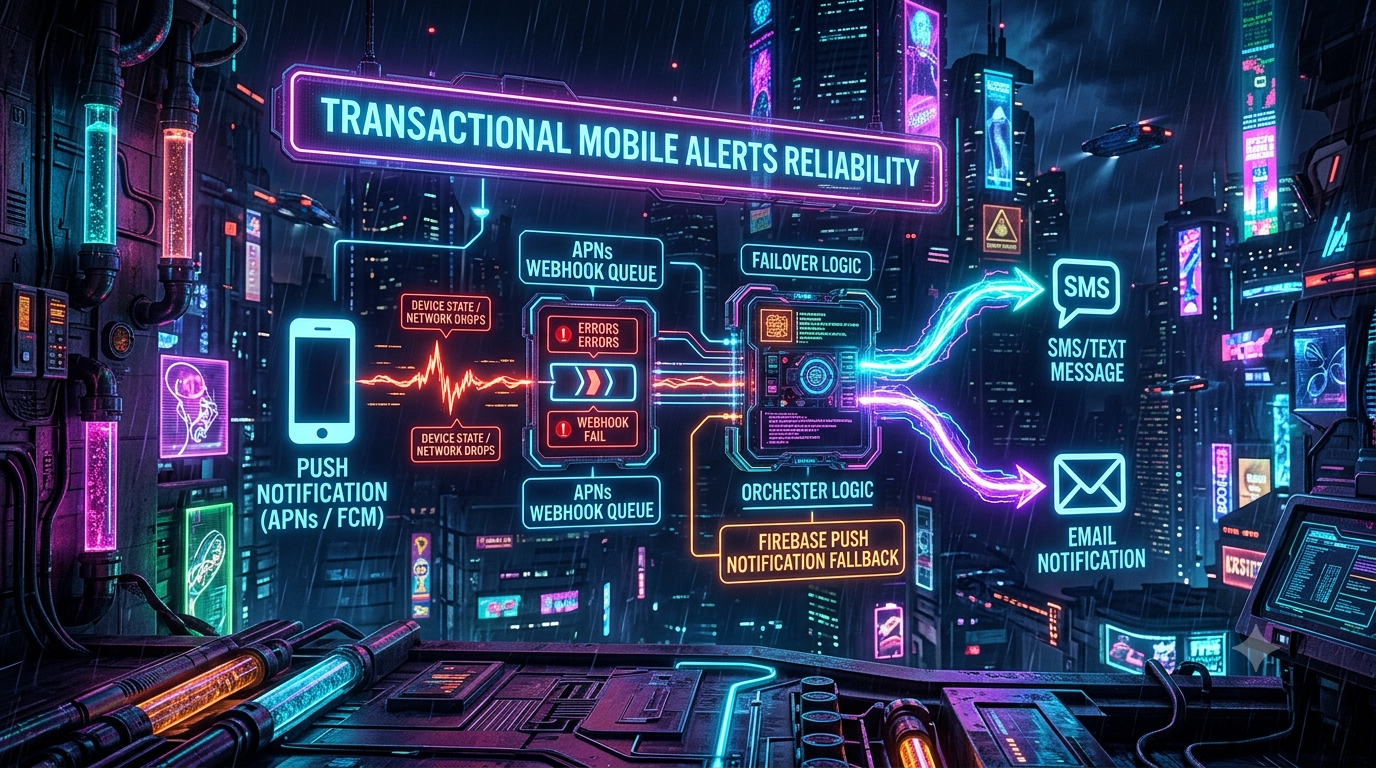
Mobile Transactional Notifications: Webhook Fallbacks for APNs and FCM
Introduction: The "200 OK" Illusion in Mobile Push Delivery
When delivering high-value transactional mobile alerts — time-sensitive MFA/2FA tokens, flight gate changes, fraud alerts, or ride-share arrivals — speed and guaranteed delivery are non-negotiable.
Engineering teams often integrate Apple Push Notification service (APNs) and Firebase Cloud Messaging (FCM), send a payload, get an HTTP 200 OK back, and assume the message reached the device. That assumption is one of the most common sources of silent delivery failure in mobile backends.
An HTTP 200 OK from APNs or FCM only means the vendor's edge gateway accepted your payload for queuing. It says nothing about whether the device received, decrypted, or rendered it. Network drops, aggressive OS battery-saver rules (Android Doze, iOS Low Power Mode), network handoffs, and Focus modes routinely stall or drop notifications silently.
To get real transactional reliability, backends can't rely on push gateways alone. They need a decoupled, webhook-driven architecture that tracks delivery down to the client device and automatically escalates to fallback channels (SMS, WhatsApp, email) when push stalls past an SLA. This guide walks through that architecture end to end, including several platform changes through 2025–2026 that affect how you should build it today.
1. Deconstructing Push Failure Modes: APNs vs. FCM
┌─────────────────┐       ┌──────────────────────┐       ┌──────────────────┐       ┌───────────────┐
│  Your Backend   │ ────> │ APNs / FCM Gateway   │ ────> │ OS Socket Pipe   │ ────> │ Client App    │
│  (App Server)   │ <──── │ (Returns 200 OK)     │       │ (Battery, Doze)  │       │ (Renders UI)  │
└─────────────────┘       └──────────────────────┘       └──────────────────┘       └───────────────┘
  [Synchronous]               [Accepted != Delivered]       [Silent Transport]          [Needs ACK]
Synchronous Gateway Errors vs. Silent Drops
Synchronous failures (immediate gateway rejections):
- APNs: HTTP status codes like
400 BadDeviceToken,410 Unregistered(app uninstalled or token expired), or429 TooManyRequests. - FCM: Responses returning
UNREGISTERED,INVALID_ARGUMENT, orRESOURCE_EXHAUSTED. - Resolution: These return synchronously, so your engine can trigger a fallback channel immediately, with no delay.
Asynchronous failures (silent drops & transport delays):
The gateway accepts the push (200 OK), but the message never renders, or renders too late.
- iOS causes: Airplane Mode, a lost persistent TCP connection, notification coalescing (APNs replaces a stale unacknowledged push with a newer one for the same
apns-collapse-id), or aUNNotificationServiceExtensionhitting its memory limit. - Android causes: OEM battery managers (Xiaomi MIUI, Samsung One UI killing background services), Doze-mode deferral of normal-priority pushes, or revoked notification-channel permissions.
- Resolution: These require active, asynchronous detection via client-side delivery acknowledgments (ACKs) and a scheduled timeout queue — the architecture this guide covers.
Platform update (2025–2026): The old way of detecting stale APNs tokens — polling Apple's legacy Feedback Service at
feedback.push.apple.com— is gone. Apple deprecated that binary protocol back in 2021, and as of August 2025 the domain stops resolving entirely; Apple's own developer forum confirms it isn't coming back. Token-invalidation signals now arrive exclusively as HTTP/2 response codes (410 Unregistered,400 BadDeviceToken) on the same request you sent the push with. If any of your infrastructure or a third-party SDK still references the feedback service, it needs to be replaced with response-code handling on the provider API — this guide's architecture already does that in Section 5.
2. High-Level Architecture: The Fallback Pipeline
To guarantee a transactional alert reaches a user within an SLA (e.g., 15–30 seconds for a 2FA OTP, 60 seconds for a security alert), the architecture tracks state transitions across several asynchronous events.
Core components:
- Transaction Event Dispatcher — receives the notification request from your domain services (Auth, Payments, Logistics).
- Ephemeral Notification State Store — a fast key-value store (Redis or DynamoDB) holding delivery state (
PENDING,DELIVERED,FALLBACK_TRIGGERED,FAILED) and metadata. - Primary Push Gateway Adapters — microservices handling HTTP/2 connections to the APNs provider API and the FCM HTTP v1 API.
- Delayed Execution Queue — a priority/delay queue (Redis ZSETs, BullMQ, or a cloud queue) that evaluates unacknowledged pushes after a configurable SLA TTL.
- Client-Side ACK Ingestor — a lightweight HTTP endpoint receiving signed delivery receipts from the client app.
- Secondary Provider Adapters — connectors to fallback channels: Twilio (or another provider) for SMS, the WhatsApp Business Platform, and AWS SES/SendGrid for email.
3. Step-by-Step Implementation
Step 1: Dispatch the Primary Push & Schedule the Timeout Job
On a transaction event, the backend does a dual write: send the push, and enqueue a delayed evaluation job.
[Transaction Event]
        │
        ├──1. Write State (PENDING) ──> [Redis KV Store]
        ├──2. Send Primary Push     ──> [APNs / FCM Gateway]
        └──3. Enqueue Delayed Job   ──> [Delay Queue / Timer] (TTL: 30s)
Payload Structure for the Primary Push
To enable client-side ACKs, the payload needs a unique tracking_id and must tell the OS to run in the background.
- iOS APNs payload: include
"mutable-content": 1to invoke theUNNotificationServiceExtension. - Android FCM payload: use a data message (not a plain notification message) so
FirebaseMessagingServiceruns your code even when the app is backgrounded or closed. - iOS interruption level: for anything genuinely time-critical, set
"interruption-level": "time-sensitive"in theapsdictionary. This is the modern replacement for just crankingapns-priority— a merely high-priority push can still be silenced by an active Focus mode, but a Time Sensitive notification (introduced in iOS 15) is designed to break through Focus/Do Not Disturb, as long as the user hasn't disabled the permission for your app. It renders with a distinct yellow banner. There's also acriticalinterruption level that bypasses the mute switch entirely, but Apple requires you to apply for and be granted the Critical Alerts entitlement before you can ship it — don't design your OTP flow around it as a default.
// Example FCM HTTP v1 Data Payload
{
  "message": {
    "token": "dG9rZW4_ZXhhbXBsZV9mb3JfZmNt...",
    "data": {
      "notification_id": "ntf_9876543210_abc",
      "type": "TRANSACTIONAL_2FA",
      "code": "849201",
      "expires_at": "1772818200"
    },
    "android": {
      "priority": "HIGH"
    },
    "apns": {
      "headers": {
        "apns-priority": "10"
      },
      "payload": {
        "aps": {
          "alert": {
            "title": "Security Alert",
            "body": "Your login verification code is 849201"
          },
          "mutable-content": 1,
          "interruption-level": "time-sensitive",
          "sound": "default"
        }
      }
    }
  }
}
Cross-platform gotcha: if you ever send a data-only message to an Apple device through FCM without an explicit
apnsoverride block, FCM requires the top-level priority to benormal(5) for that delivery — sendinghighpriority straight to an Apple-registered token without anapnsblock gets rejected withINVALID_ARGUMENT. Because the payload above includes its ownapns.headers.apns-priority, it's unaffected, but it's a common trap if you build a single shared payload builder for both platforms.
TTL vs. your SLA timer — don't conflate them. FCM's own
android.ttl/ APNs'apns-expirationfield controls how long the vendor will keep retrying delivery to an offline device (FCM defaults to 4 weeks if unset). That is a completely different clock from the fallback SLA timer described below, which is your backend's decision about how long to wait for a client ACK before failing over to SMS/WhatsApp/email. For transactional alerts, set the vendor TTL short too (e.g., a few minutes) so a stale OTP push doesn't suddenly appear on a device that reconnects hours later — but the fallback trigger should fire on your own SLA, independent of it.
Step 2: Client-Side Delivery Acknowledgments (ACKs)
Because vendor gateways only confirm acceptance, the client app has to confirm actual delivery.
iOS — UNNotificationServiceExtension:
import UserNotifications

class NotificationService: UNNotificationServiceExtension {
    var contentHandler: ((UNNotificationContent) -> Void)?
    var bestAttemptContent: UNMutableNotificationContent?

    override func didReceive(_ request: UNNotificationRequest, withContentHandler contentHandler: @escaping (UNNotificationContent) -> Void) {
        self.contentHandler = contentHandler
        bestAttemptContent = (request.content.mutableCopy() as? UNMutableNotificationContent)

        if let bestAttemptContent = bestAttemptContent {
            let userInfo = bestAttemptContent.userInfo
            if let notificationId = userInfo["notification_id"] as? String {
                // Fire-and-forget delivery ACK webhook back to the backend
                sendDeliveryAckWebhook(notificationId: notificationId)
            }
            contentHandler(bestAttemptContent)
        }
    }

    private func sendDeliveryAckWebhook(notificationId: String) {
        guard let url = URL(string: "https://api.yourdomain.com/v1/notifications/ack") else { return }

        var request = URLRequest(url: url)
        request.httpMethod = "POST"
        request.setValue("application/json", forHTTPHeaderField: "Content-Type")
        request.timeoutInterval = 5.0 // Extension execution window is tight — keep this short

        let body: [String: Any] = [
            "notification_id": notificationId,
            "timestamp": Date().timeIntervalSince1970,
            "platform": "ios"
        ]

        request.httpBody = try? JSONSerialization.data(withJSONObject: body)
        URLSession.shared.dataTask(with: request).resume()
    }
}
Note the timestamp uses
timeIntervalSince1970(standard Unix epoch seconds) —Datein Foundation has notimeIntervalSince1900property, so watch out if you're copying this from an older snippet.
Keep in mind a service extension has a hard memory ceiling and a short wall-clock budget before iOS kills it, so the ACK call needs a short timeout and no retry logic inside the extension itself — if it fails, let the backend's timeout queue do its job instead.
Android — FirebaseMessagingService:
public class MyFirebaseMessagingService extends FirebaseMessagingService {
    @Override
    public void onMessageReceived(RemoteMessage remoteMessage) {
        if (remoteMessage.getData().size() > 0) {
            String notificationId = remoteMessage.getData().get("notification_id");
            if (notificationId != null) {
                sendAckWebhook(notificationId);
            }
        }
        if (remoteMessage.getNotification() != null) {
            showNotification(remoteMessage.getNotification());
        }
    }

    private void sendAckWebhook(String notificationId) {
        OkHttpClient client = new OkHttpClient.Builder()
                .connectTimeout(5, TimeUnit.SECONDS)
                .build();

        JSONObject json = new JSONObject();
        try {
            json.put("notification_id", notificationId);
            json.put("timestamp", System.currentTimeMillis());
            json.put("platform", "android");
        } catch (JSONException e) {
            return;
        }

        RequestBody body = RequestBody.create(json.toString(), MediaType.get("application/json; charset=utf-8"));
        Request request = new Request.Builder()
                .url("https://api.yourdomain.com/v1/notifications/ack")
                .post(body)
                .build();

        client.newCall(request).enqueue(new Callback() {
            @Override
            public void onFailure(Call call, IOException e) { /* Log silent failure */ }
            @Override
            public void onResponse(Call call, Response response) throws IOException { response.close(); }
        });
    }
}
onMessageReceived() only fires reliably while the device is online and the OS hasn't killed the background service — current Firebase guidance is that both normal- and high-priority messages get only a few seconds of processing time in this callback, with slightly more headroom for high-priority ones, so hand off anything heavier to WorkManager rather than doing it inline.
Step 3: Ingest the Client ACK Webhook
// Node.js / Express Client ACK Handler
const express = require('express');
const Redis = require('ioredis');

const app = express();
const redis = new Redis(process.env.REDIS_URL);

app.post('/v1/notifications/ack', express.json(), async (req, res) => {
  const { notification_id, platform, timestamp } = req.body;

  if (!notification_id) {
    return res.status(400).json({ error: 'Missing notification_id' });
  }

  try {
    const key = `notification:${notification_id}`;
    const multi = redis.multi();
    multi.hset(key, 'status', 'DELIVERED');
    multi.hset(key, 'delivered_at', Date.now());
    multi.expire(key, 86400); // 24hr retention for audit
    await multi.exec();

    return res.status(200).json({ status: 'ACK_REGISTERED' });
  } catch (err) {
    console.error('Failed to register client ACK:', err);
    return res.status(500).json({ error: 'Internal server error' });
  }
});
Step 4: Queue Orchestration & Fallback Failover Worker
// Worker handling the delayed fallback queue
const { Worker } = require('bullmq');
const Redis = require('ioredis');
const twilio = require('twilio')(process.env.TWILIO_SID, process.env.TWILIO_AUTH_TOKEN);

const redis = new Redis(process.env.REDIS_URL);

const fallbackWorker = new Worker('push-fallback-queue', async (job) => {
  const { notification_id, userId, phoneNumber, alertPayload, fallbackChannel } = job.data;
  const key = `notification:${notification_id}`;

  const notificationState = await redis.hgetall(key);

  if (notificationState && notificationState.status === 'DELIVERED') {
    console.log(`[PASS] Push ${notification_id} confirmed delivered. No fallback needed.`);
    return { outcome: 'PUSH_SUCCESSFUL' };
  }

  // Lock atomically to avoid a race with a late-arriving ACK
  const acquiredLock = await redis.set(`lock:${notification_id}`, 'worker', 'NX', 'EX', 10);
  if (!acquiredLock) {
    console.warn(`[WARN] Lock held for ${notification_id}, delaying execution.`);
    throw new Error('Lock contention, retry job.');
  }

  console.warn(`[FAILOVER TRIGGERED] Push ${notification_id} timed out. Initiating ${fallbackChannel}.`);

  try {
    await redis.hset(key, 'status', 'FALLBACK_INITIATED');

    if (fallbackChannel === 'SMS') {
      await twilio.messages.create({
        body: alertPayload.text,
        from: process.env.TWILIO_PHONE_NUMBER,
        to: phoneNumber
      });
    } else if (fallbackChannel === 'WHATSAPP') {
      // Send via a pre-approved Authentication or Utility template
      // (see the pricing note in Section 4 — template category matters here)
    } else if (fallbackChannel === 'EMAIL') {
      // SendGrid / SES integration
    }

    await redis.hset(key, 'status', 'FALLBACK_COMPLETED');
    return { outcome: 'FALLBACK_EXECUTED', channel: fallbackChannel };

  } catch (fallbackError) {
    console.error(`[CRITICAL] Fallback channel failed for ${notification_id}:`, fallbackError);
    await redis.hset(key, 'status', 'FALLBACK_FAILED');
    throw fallbackError; // route to DLQ
  }
}, { connection: redis });
If you're using AWS SQS instead of Redis/BullMQ for the delay queue, know its limit: native SQS delay queues and per-message timers cap out at 15 minutes. That's plenty for OTP/fraud-alert SLAs (15–60s) and even the "monthly statement" 5-minute example below, but if you ever need a longer delayed evaluation window, AWS's own guidance is to use EventBridge Scheduler instead of trying to chain SQS delays.
4. Comparing Fallback Channels for High-Value Alerts
Channel economics have shifted meaningfully in the last year, particularly for WhatsApp. Current, order-of-magnitude figures (US rates; always confirm against the provider's live rate card before budgeting, since both Twilio and Meta adjust pricing tables periodically):
| Channel | Typical Latency | Global Deliverability | Cost / Msg (US, 2026) | Best Use Case |
|---|---|---|---|---|
| Primary Push (APNs/FCM) | 0.5s – 3.0s | High (needs internet & app installed) | $0.00 | In-app activity, low-cost primary channel |
| Fallback SMS | 2.0s – 8.0s | Very high (~98% reach, no internet needed) | ~$0.008 base + ~$0.003–$0.005 carrier surcharge ≈ $0.012–$0.013 effective per message | High-value 2FA, OTPs, urgent financial alerts |
| WhatsApp Business Platform | 1.0s – 5.0s | High (needs WhatsApp installed) | Authentication ≈ $0.004; Utility ≈ $0.004; Marketing ≈ $0.025; replies inside an open 24h service window are free | OTPs and receipts (Authentication/Utility categories), rich international alerts |
| Transactional Email | 5.0s – 30.0s | Moderate (can be spam-filtered) | ~$0.0001 – $0.001 | Low-urgency fallback, receipts, password resets |
A few things worth knowing before you wire up billing assumptions:
- Twilio's SMS rate is currently about $0.0083 per outbound segment in the US, with US carriers adding their own per-message A2P surcharge on top (roughly $0.003–$0.005), for an effective cost closer to $0.012–$0.013 per message once that pass-through is included. A message over 160 plain-GSM characters (or containing an emoji, which forces UCS-2 encoding at a 70-character segment limit) bills as multiple segments.
- WhatsApp Business Platform pricing changed fundamentally on July 1, 2025: Meta retired conversation-based (24-hour window) billing entirely and moved to charging per delivered template message, split by category — Marketing, Utility, and Authentication — with the rate also varying by recipient country. For a transactional-alert use case like OTP delivery, that's good news: Authentication-category templates are billed at the cheap end of the table (roughly $0.004 in the US), not the more expensive Marketing rate. Replies inside an open 24-hour customer-service window remain free. Note that Meta has also announced further changes rolling out in phases through late 2026 affecting free-form service messages, so if your fallback design leans on "just reply inside the free window," re-check the current rate card before assuming that stays free indefinitely.
- FCM/APNs are still the $0.00 primary channel — the entire point of this architecture is to avoid falling back more than necessary, since every fallback message is a real per-unit cost at volume.
5. Critical Edge Cases & Race Condition Mitigations
Naive implementations of this pattern often produce duplicate notifications — the user gets both the push and the SMS at nearly the same moment. Here's how to avoid that.
1. The "Late ACK" Race Condition
Scenario: SLA is 30.0s. At 29.9s the device reconnects and receives the push; the client fires the ACK webhook, but network jitter means it lands on your server at 30.2s. Meanwhile, at 30.0s the fallback worker runs, sees PENDING, and dispatches an SMS.
Time 0s        Time 29.9s           Time 30.0s              Time 30.2s
──|───────────────|────────────────────|───────────────────────|───>
Push Sent    Push Arrives          Fallback Worker Runs     Late ACK Arrives
             Device Fires ACK      Finds PENDING -> SMS     Writes DELIVERED
                                   (User Gets Duplicate!)
Mitigation:
- Distributed locking (e.g., a Redlock-style pattern): the fallback worker acquires a lock on the
notification_idbefore reading and executing failover logic (as in the sample worker above). - Grace buffers: schedule the delayed job at
SLA_TIMEOUT + 3.0sto absorb ACK network transit time. - Client-side deduplication: include a
deduplication_idin the fallback SMS/WhatsApp payload so the app can suppress a redundant in-app banner if the push shows up right after the SMS.
2. Token Invalidation Cleanup (Synchronous Handshake Failures)
Continuing to send to a dead token wastes gateway connections and can hurt sender reputation. When APNs returns 410 Unregistered or FCM returns UNREGISTERED:
- Intercept the synchronous error code in your Primary Push Adapter.
- Immediately flag the device token as
INVALIDin your relational store. - Skip the SLA timeout queue entirely and trigger the secondary channel right away (0-second failover) — there's no point waiting out an SLA when you already know the push can't land.
- Instruct the client to request a fresh APNs/FCM token on its next foreground.
As noted in Section 1, this response-code path is now the only mechanism for this — the legacy APNs Feedback Service that older tutorials describe is fully retired.
3. Dynamic TTLs Based on Alert Criticality
A single global timeout wastes money on unnecessary SMS sends and adds needless load.
interface NotificationPolicy {
  type: string;
  pushTtlSeconds: number;
  fallbackChannel: 'SMS' | 'WHATSAPP' | 'EMAIL' | 'NONE';
}

const POLICY_MATRIX: Record<string, NotificationPolicy> = {
  'AUTHENTICATION_OTP': {
    type: 'AUTHENTICATION_OTP',
    pushTtlSeconds: 15, // Ultra-strict 15-second failover
    fallbackChannel: 'SMS'
  },
  'FRAUD_ALERT': {
    type: 'FRAUD_ALERT',
    pushTtlSeconds: 30,
    fallbackChannel: 'WHATSAPP'
  },
  'RIDE_ARRIVING': {
    type: 'RIDE_ARRIVING',
    pushTtlSeconds: 45,
    fallbackChannel: 'SMS'
  },
  'MONTHLY_STATEMENT': {
    type: 'MONTHLY_STATEMENT',
    pushTtlSeconds: 300, // 5-minute relaxed window
    fallbackChannel: 'EMAIL'
  }
};
6. Observability: Key Metrics to Track
                  [ Total Notifications Dispatched ]
                                  │
                 ┌────────────────┴────────────────┐
                 ▼                                 ▼
       [ Sync Gateway 200 ]               [ Sync Gateway Error ]
                 │                                 │
        ┌────────┴────────┐                        ▼
        ▼                 ▼              (Immediate Fallback)
  [ Client ACK ]   [ Timeout Triggered ]
        │                 │
        ▼                 ▼
   (Successful)    [ Fallback Sent ]
                          │
                 ┌────────┴────────┐
                 ▼                 ▼
             (Delivered)      (DLQ / Failed)
- Push Gateway Acceptance Rate (%) —
(Gateway 200 OKs / Total Dispatched) × 100. - Client ACK Reach Rate (%) —
(Client ACKs Received / Gateway 200 OKs) × 100. Target >85–92% on healthy networks. - P95 / P99 Delivery Latency — time delta between dispatch and client ACK.
- Fallback Conversion Rate (%) — share of messages needing failover. A sudden spike often means OS-level throttling, an expired cert, or an FCM/APNs outage — check the FCM status dashboard and APNs system status page when this jumps.
- False Fallback Rate (%) — jobs where the ACK arrives after fallback fired. Rising values mean your SLA timeout is too aggressive relative to real-world ACK latency.
Technical Checklist for Engineering Teams
- APNs payload includes
"mutable-content": 1in theapsdictionary. - Genuinely urgent alerts set
"interruption-level": "time-sensitive"(and use the Critical Alerts entitlement only where Apple has explicitly approved it). - Android payload is a high-priority data message to run custom code in the background.
- Client extensions (iOS
UNNotificationServiceExtension, AndroidFirebaseMessagingService) send delivery ACK webhooks with short timeouts. - Distributed ephemeral store (Redis or equivalent) running atomic ops (
HSET,SETNX) for state and locks. - Delay queue implemented (BullMQ, Redis ZSET, or SQS/EventBridge Scheduler if you need windows beyond 15 minutes) with context-specific TTLs.
- Synchronous handshake guard: immediate fallback on APNs
410/400or FCMUNREGISTERED— no dependency on the retired APNs Feedback Service. - Deduplication active: grace buffers and distributed locks prevent double messaging.
- WhatsApp fallback templates are registered in the correct category (Authentication/Utility, not Marketing) to avoid overpaying.
- Observability dashboards live, with alerts on Fallback Conversion Rate spikes.
Conclusion
Building a production-grade notification pipeline means accepting that APNs and FCM are best-effort delivery networks, not guaranteed message queues — and that the tooling around them keeps moving. In the last year alone, Apple fully retired the legacy feedback mechanism for token cleanup, Google finished the multi-year sunset of the legacy FCM API, and Meta rebuilt WhatsApp Business Platform billing from the ground up. None of that changes the core engineering pattern: client-side ACK webhooks paired with a Redis-backed (or equivalent) delayed execution queue give you a self-healing fallback system that gets high-value messages to the user regardless of device state, OS power management, or network conditions — you just need to keep the token-handling and pricing assumptions current as the vendors change the ground underneath you.
Further Reading
- Apple: Handling notification responses from APNs
- Apple Developer Forums: APNs Feedback Service Domain Unavailable
- Firebase: Migrate from legacy FCM APIs to HTTP v1
- Firebase: Set and manage Android message priority
- Firebase: Set the lifespan of a message (TTL)
- Android Developers: Optimize for Doze and App Standby
- OneSignal: iOS Focus modes and interruption levels
- AWS: Amazon SQS delay queues
- Twilio SMS pricing (US)
- Meta: Pricing on the WhatsApp Business Platform