Bulletproofing User Sync: Handling Clerk and Auth0 Webhook Failures
Bulletproofing User Sync: Handling Clerk and Auth0 Webhook Failures If you're building a web application today, chances are you aren't writing your own authentication system.
Bulletproofing User Sync: Handling Clerk and Auth0 Webhook Failures
If you're building a web application today, chances are you aren't writing your own authentication system. Managed identity providers like Clerk, Auth0, and Kinde have become the default choice, offering out-of-the-box support for passkeys, multi-factor authentication, and enterprise SSO. That convenience introduces a distributed-systems problem, though: data synchronization. When a user creates an account on a managed auth provider, that system has to notify your primary application database so you can create a matching user record.
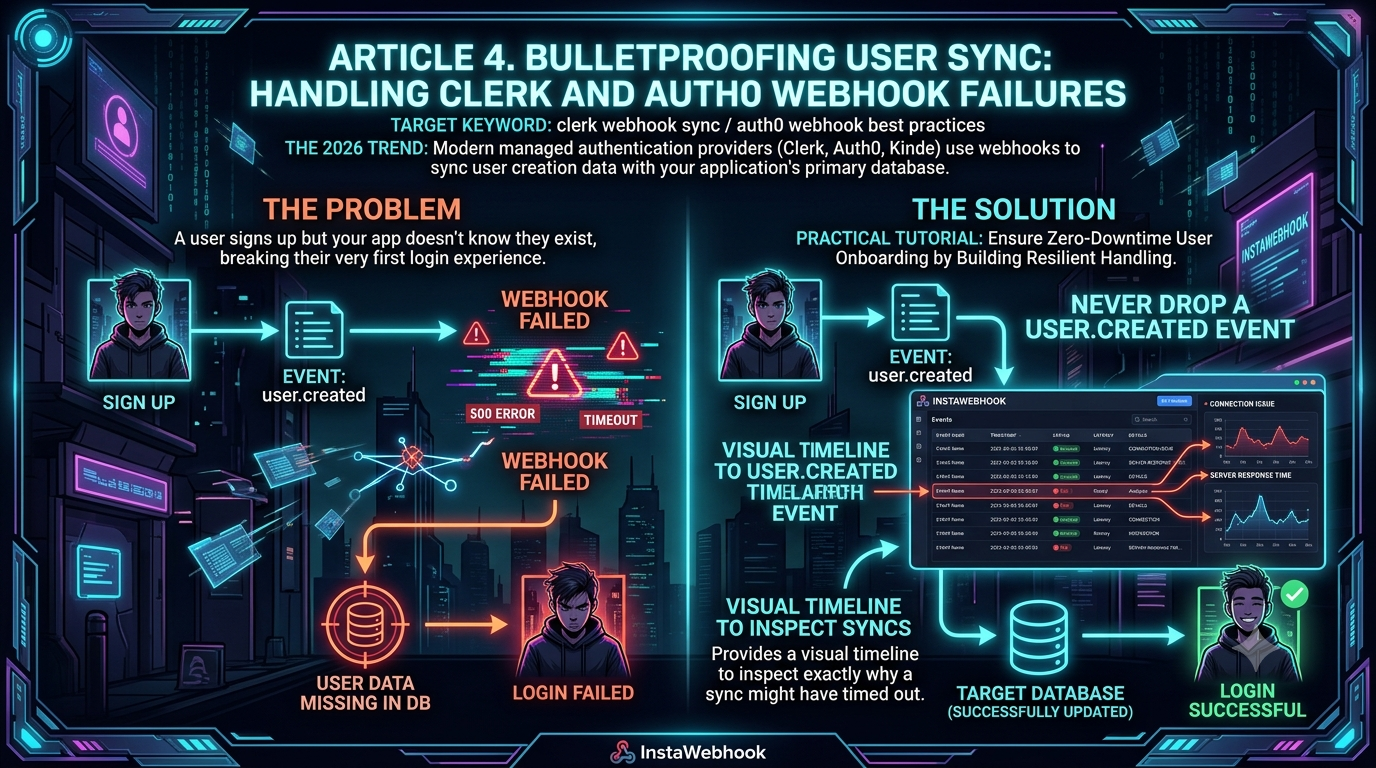
This happens through webhooks. But what happens if your server is down, your serverless function cold-starts and times out, or your database is momentarily locked when that webhook arrives? A user successfully signs up with your auth provider, but your application has no idea they exist. That breaks the very first login experience, and it's how phantom accounts, broken onboarding flows, and frustrated users happen.
This guide walks through the anatomy of webhook-driven auth architecture, current Auth0 and Clerk webhook practices, and how a resilience layer — using InstaWebhook as a worked example — closes the gap that idempotency and signature verification alone can't.
1. The Anatomy of a Webhook-Driven Auth Architecture
In legacy applications, authentication and application data lived in the same database. A single SQL transaction could create a user's password hash and their application profile at the same time. If the database was down, the whole request failed, but the system stayed consistent.
Modern architectures split that in two:
- The Auth Database — managed by Clerk or Auth0. It stores credentials, session tokens, and identity-provider links (like "Sign in with Google").
- The App Database — managed by you (Postgres, MongoDB, etc.). It stores application-specific data, preferences, and foreign keys linking users to their content.
To bridge the gap, auth providers rely on asynchronous webhooks: when a user signs up, the provider fires a user.created payload via HTTP POST to an endpoint you expose. Your server parses the payload and writes a row to your app database. This scales well, but it trades the transactional safety of a single database for the unpredictability of a network request.
The Silent Killers: Why Auth Webhooks Fail
The failure points rarely have anything to do with the auth provider itself. The usual suspects:
- Database connection timeouts — serverless frameworks (Next.js on Vercel, for example) can suffer cold starts; if the connection pool is exhausted or slow to initialize, the webhook handler times out before the user is saved.
- Network partitions — transient DNS issues or API gateway hiccups drop requests.
- Race conditions — a user can click through onboarding faster than the webhook is processed, hitting your app database before the row exists.
- Malformed payloads and schema mismatches — a database schema change that isn't mirrored in the webhook handler turns every insert into a fatal error, silently dropping the event.
- Deployments — a webhook that arrives mid-deploy can hit a dead endpoint.
When these happen, the payload vanishes. You're left with a user who can log in through Auth0 or Clerk but doesn't exist in your application.
2. Auth0 Webhook Best Practices
Auth0 gives you three different ways to react to a new user, and they are not interchangeable:
- Actions (
post-user-registrationtrigger) — custom code that runs after a user is created on a database or passwordless connection. It's flexible, but it has no built-in retry: if your HTTP call inside the Action fails, the event is gone unless you've written your own retry logic. It also doesn't fire for every signup path (social connections, for instance, don't trigger it). - Log Streams (Custom Webhook destination) — Auth0 streams raw tenant log events (logins, token exchanges, management API calls) to your endpoint as a JSON body. Auth0 does retry failed deliveries and gives you a stream health view, but you're parsing generic log records rather than a clean
user.createdschema, and a broken stream eventually gets auto-disabled. - Event Streams — this is the newer, purpose-built option, and it reached general availability in 2026. It lets you subscribe to structured
user.created,user.updated, anduser.deletedevents regardless of how the user was created — signup form, Management API, SCIM, or JIT provisioning through a social or passwordless connection — and deliver them to a webhook, AWS EventBridge, or an Action. Failed deliveries are retried automatically without blocking later events, and you get a dashboard to inspect and manually retry failures. For "keep my app database in sync with Auth0 users," this is now the closest match to what Clerk's webhook system already does.
Whichever delivery mechanism you use, the same fundamentals apply:
1. Enforce idempotency. Webhooks are delivered at-least-once, not exactly-once — a retry can mean you receive the same user.created payload twice. Use an upsert instead of a blind insert:
// Bad: throws a unique-constraint error on retry
await db.user.insert({ data: { auth0Id: event.user.id, email: event.user.email } })

// Good: idempotent
await db.user.upsert({
  where: { auth0Id: event.user.id },
  update: {},
  create: { auth0Id: event.user.id, email: event.user.email },
})
2. Verify the request before trusting it. Auth0's webhook destinations (both Log Streams and Event Streams) authenticate with a shared secret — a bearer token or a custom header value you configure — rather than a per-request HMAC signature. That means the check is a constant-time string comparison against the secret you set, not a cryptographic signature over the payload. Treat that token like a password: don't log it, rotate it periodically, and only accept the webhook over HTTPS.
3. Acknowledge fast, process later. If you do heavy work (write to the database, call Stripe, send a welcome email) before responding, you risk exceeding Auth0's delivery timeout and triggering a retry storm. Return 200 OK once you've validated the request, and push the actual sync work to a background queue or async function.
4. Give failed events somewhere to land. A payload that keeps failing shouldn't just disappear. Route it to a dead-letter queue — a place to inspect and manually replay it once the underlying bug or outage is fixed.
3. Perfecting Clerk Webhook Sync
Clerk sends its webhooks through Svix, a dedicated webhooks-as-a-service platform, which is why Clerk's webhook headers are the svix-id / svix-timestamp / svix-signature triplet. Because Svix implements the open Standard Webhooks specification, those headers are HMAC-SHA256 signed and format-compatible with the same convention used by OpenAI, Anthropic, Google Gemini, Twilio, PagerDuty, and Supabase, among others — so tooling built for one Standard Webhooks sender tends to work for the rest.
Clerk's SDK has simplified verification since older tutorials were written. Rather than manually reading Svix headers and calling the svix package yourself, the current recommended pattern uses Clerk's built-in verifyWebhook() helper:
import { verifyWebhook } from '@clerk/backend/webhooks'
import { db } from '@/lib/db'

export async function POST(req: Request) {
  let evt
  try {
    evt = await verifyWebhook(req)
  } catch (err) {
    console.error('Webhook verification failed:', err)
    return new Response('Webhook verification failed', { status: 400 })
  }

  const eventType = evt.type

  if (eventType === 'user.created' || eventType === 'user.updated') {
    const { id, email_addresses, first_name, last_name } = evt.data
    const primaryEmail = email_addresses[0]?.email_address

    await db.user.upsert({
      where: { clerkId: id },
      update: { email: primaryEmail, firstName: first_name, lastName: last_name },
      create: { clerkId: id, email: primaryEmail, firstName: first_name, lastName: last_name },
    })
  }

  if (eventType === 'user.deleted') {
    await db.user.delete({ where: { clerkId: evt.data.id } }).catch(() => {})
  }

  return new Response('', { status: 200 })
}
verifyWebhook() reads the request directly and handles signature verification internally, so you no longer need to pull headers out of next/headers by hand for this step. (If you do need raw headers elsewhere in an App Router route, note that headers() is an async function in current Next.js and must be awaited.)
A few things worth calling out:
- Webhooks are asynchronous by design. Clerk's own docs are explicit that you shouldn't build a synchronous onboarding flow that waits on webhook delivery — delivery is fast in practice but never guaranteed to be immediate. For flows where the user is redirected straight into your app after signup, Clerk documents a dedicated onboarding pattern for exactly this reason.
- Map the full user lifecycle, not just
user.created. For compliance (GDPR, for example) and data integrity, also handleuser.updated(email or profile changes) anduser.deleted(to trigger cascading deletes in your app database). - Svix's retry schedule is generous but not infinite. Failed deliveries are retried immediately, then at 5 seconds, 5 minutes, 30 minutes, 2 hours, 5 hours, 10 hours, and again 10 hours after that — roughly a day and a half of retries before Svix gives up on that message.
- Restrict the endpoint further if you want defense in depth. Beyond signature verification, Clerk's docs recommend optionally allow-listing Svix's outbound webhook IPs so the route can't be hit by anything else.
4. A Resilience Layer: Webhook Relay Services
Even with idempotent handlers and verified signatures, your system is still exposed to infrastructure failure. If your database is down for 30 minutes, Auth0 or Clerk will eventually stop retrying. When the database comes back, you have a gap in your user data — and neither provider's dashboard makes it easy to see exactly which events fell into that gap or replay just those.
This is the gap that a class of tools — durable webhook intake, retry, and replay platforms — is built to close. Instead of pointing Auth0 or Clerk directly at your API, you point them at the relay service, which captures the payload immediately, stores it durably, and then forwards it to your server with its own retry logic layered on top of the provider's. Hookdeck and Svix's own ingest tooling are two well-known options in this category; InstaWebhook is another, and it's worth walking through as a concrete example of what the pattern buys you.
According to InstaWebhook's own documentation, its relevant features for auth sync are:
- Durable intake and decoupling — it accepts the webhook from Clerk or Auth0 in milliseconds, so the auth provider never sees a timeout from your infrastructure.
- Delivery timelines — a dashboard showing when an event was received, queued, attempted, retried, and delivered (or dead-lettered), so a "why can't this user log in" support ticket becomes a lookup instead of a log-grepping exercise.
- Replay controls — if a bug in production incorrectly rejects webhook payloads, fixing the bug and replaying the failed events recovers the missing users without asking them to re-register.
- A "bring your own database" mode — since auth webhooks carry PII (names, emails), this lets you keep payload storage in infrastructure you control with least-privilege credentials, which matters if you're under HIPAA or similar compliance requirements.
Treat vendor claims like this as the vendor's own description rather than independently audited fact — worth verifying against your own testing and current pricing/SLA pages before you commit, same as with any infrastructure vendor.
5. Practical Tutorial: Wiring Up a Relay Layer
Using Clerk with a relay service like InstaWebhook as an example:
Step 1 — Create the intake URL. Sign up and create a new endpoint; you'll get a unique public URL and can set a retry policy (e.g., exponential backoff over 72 hours).
Step 2 — Point Clerk at it. In the Clerk Dashboard, go to Webhooks → Add Endpoint, paste the relay's intake URL, and select user.created, user.updated, and user.deleted. Copy the signing secret Clerk generates — you'll still use this in your own app code.
Step 3 — Configure where the relay forwards to. In the relay's dashboard, add your production API URL as the destination. The important detail: a good relay passes the original svix-* (or provider-equivalent) headers through unmodified, so your verifyWebhook() call doesn't need to change at all — it's still verifying against Clerk's secret, agnostic to the fact that traffic passed through a relay first.
Step 4 — Prove the recovery path works. Intentionally break your endpoint (bad DB credentials is an easy one), create a test user in Clerk, and watch the relay's dashboard show the failed attempt and scheduled retry. Fix the credentials, and the next scheduled retry should land and sync the user — with zero data loss and no dropped signups.
6. Avoiding the "Race Condition" UI Bug
Even with reliable webhook delivery, a subtler bug remains. When a user finishes signing up, they're redirected straight into your app (/dashboard, say). Your frontend reads the session and asks your API for the user's profile — but if the webhook hasn't finished processing yet (a few hundred milliseconds is typical), the API returns a 404, and the user's very first screen is a broken one.
Three ways to handle it, in increasing order of robustness:
- Optimistic rendering. If the frontend knows the user just signed up, show a loading skeleton instead of a hard error.
- Short polling. On a 404 from the profile endpoint, retry every 500ms for a few seconds. By the second or third attempt, the webhook (or relay) will typically have delivered the payload.
- Just-in-time (JIT) provisioning. Instead of relying solely on the webhook for initial creation, have your API check the database on first request; if the user isn't found but a valid session token is present, perform the upsert right then. The webhook becomes a fallback and an updater rather than the only path to a synced profile — this is also close to the pattern Clerk's own documentation recommends for flows that can't tolerate webhook latency.
Conclusion
Managed authentication simplifies security but complicates state management. Pointing webhooks directly from Clerk or Auth0 at your primary application server is fragile — it works until a routine outage or deploy proves otherwise. Idempotency and signature verification are non-negotiable regardless of which provider you use. Beyond that, the two providers currently offer genuinely different levels of built-in resilience: Clerk's Svix-backed delivery already retries for about a day and a half out of the box, while Auth0's newly GA Event Streams closes a gap that the older Actions-based approach had (no retries) for the specific case of keeping user records in sync.
A relay layer on top of either — whether that's InstaWebhook, Hookdeck, or something you build yourself — buys you visibility and replay for the failures that happen anyway: the deploy that lands mid-webhook, the database that's down for half an hour, the schema change nobody remembered to mirror in the handler. Combined with JIT provisioning on the frontend, that's what "the user's first screen is never broken" actually takes.